
Best Chore Apps for ADHD Kids in 2026
With ADHD the problem is rarely that a child does not know what the chores are. It is starting, staying with it, and the fact that a reward arriving on Saturday has no pull on a Tuesday. That makes one boring detail the most important thing about a chore app: how long it takes between finishing a task and something actually happening. Here are seven apps ranked with that in mind.
Updated 2026-09-21. Prices checked against each vendor's own pages.
The three things that decide whether it sticks
Almost every app here has task lists and rewards. What separates them in an ADHD household is narrower than the marketing suggests:
- Reward latency. A payout that waits for a parent to review it is a payout that arrives hours later, when the connection to the effort has gone. An instant payout does the work a delayed one cannot.
- Task initiation. "Tidy your room" is not a task, it is a category. Apps that break work into visible small steps get started; apps that show one big line item do not.
- Time made visible. Twenty minutes is an abstraction. A timer that shows time going is the difference between leaving on time and the same argument every morning.
The novelty problem is worth naming too. Most of these apps produce a brilliant fortnight followed by a cliff. The ones that last tend to be the ones that ask least of the parent, because the system fails on the day you stop maintaining it.
The apps at a glance
| App | Best for | How fast the reward lands | Price | Ages |
|---|---|---|---|---|
| Joon | Kids who need a game to get moving at all | After you approve each quest | Free (7 verified quests/day). Premium $12.99/mo or $89.99/yr | 6 to 12 |
| Starday | A daily routine that survives a busy parent | Instantly, on the tap — no approval | Free for the child’s side. Pro $4.99/mo or $29.99/yr | 4 to 16 |
| Goally | Step-by-step routines on a device with no distractions | Screen time at the end of the routine | Tablet from about $199; app manages the device | Roughly 3 to 12 |
| Lil Planner | Younger kids who need to see the steps | On completion, with a celebration | Free tier; paid plan for more schedules and devices | Roughly 3 to 10 |
| Habitica | Older kids and teens who like games | Immediately, as XP and gold | Free. Optional subscription $4.99/mo or $47.99/yr | 12+ (App Store rating) |
| Tiimo | Teens managing their own time | No rewards — it is a visual planner | Free tier. Pro $7.99/mo or $79.99/yr | Teens and adults |
| S’moresUp | Several kids on one free chore list | Points to a wallet, approval on premium | Core plan free. Premium $9.99/mo or $99.99/yr | Any |
1. Joon, the ADHD chore app everyone starts with
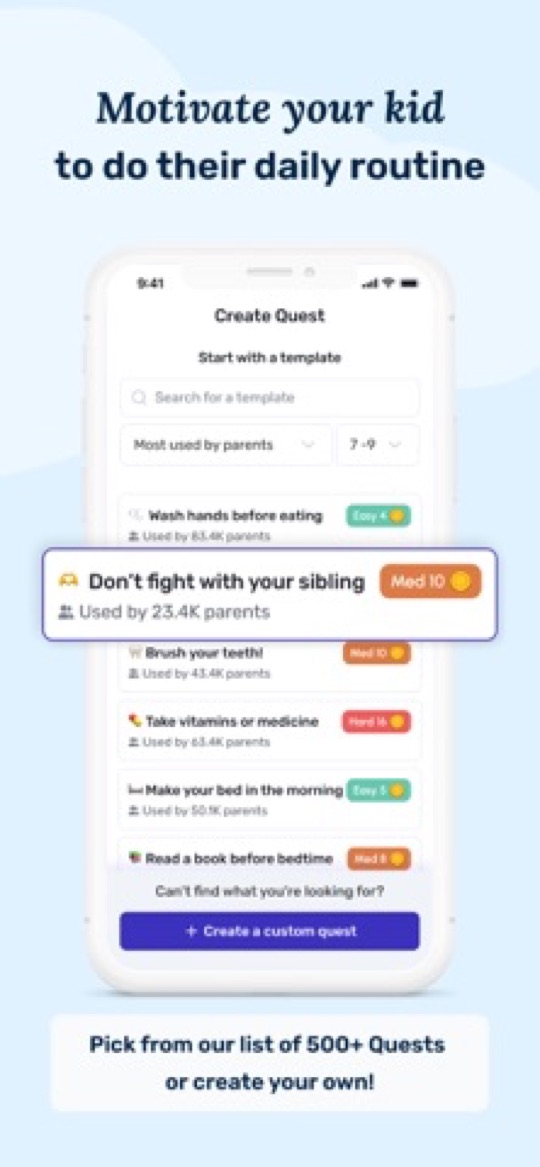
Joon is the best-known app in this category and the one most parents try first. Chores become quests; your child hatches and raises a virtual pet called a Doter with the coins they earn. It was designed with clinical input around the ADHD profile for ages 6 to 12, and it holds a 4.7-star average across more than 6,500 App Store ratings — the strongest review record here by a wide margin.
Why it works
- The game is properly made and frequently updated. Plenty of parents report a child asking to do chores, which is not a sentence you write about most chore apps.
- Quests are short and concrete by design — the task-initiation problem is taken seriously rather than assumed away.
- A real free tier: up to 7 verified quests a day without a card on file.
- Built specifically for ADHD rather than adapted, and the support team has a good reputation for working with families on price.
Why families leave
- Every quest needs your approval before coins land. In an ADHD household that is the single biggest design risk on this page: the reward arrives when you get round to it, and the loop stops entirely on a day you are busy.
- Two separate apps. Parents use Joon; kids use Joon Pet Game, linked by a code.
- $12.99 a month or $89.99 a year — roughly three times the annual cost of anything else here.
- Novelty fade is the most common complaint: strong engagement for four to eight weeks, then a drop once the pet is levelled up.
- Not built for teens, and Joon says so itself.
2. Starday, the one with no approval step
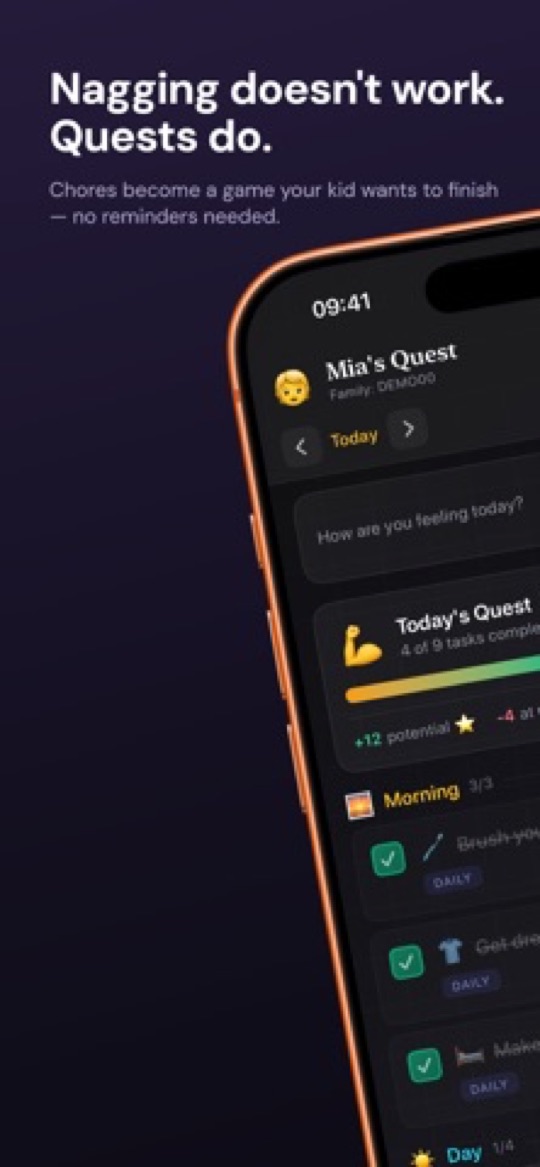
Starday is a routine calendar built around the opposite trade-off to Joon. There is no game world and no pet — but there is also no approval queue. You set the routine once, and when your child checks a task the stars land immediately and buy whatever you have stocked the rewards shop with: an extra episode, ice cream, a later bedtime on Friday. A missed deadline applies its own gentle penalty. Nothing waits on you noticing.
Why the latency matters
- Instant payout. Tap, stars, done — the reward lands while the effort is still connected to it, which is the entire problem with approval-based apps for an ADHD child.
- It survives a bad week. Because you are not in the loop, the system keeps running on the days you have no capacity to run it. That is usually what decides whether an app is still in use in month three.
- One app, one passcode. The parent side lives behind a passcode in the same app, so there is no second install and no login code to lose.
- 4 to 16, and every sibling included. Pro is $4.99 a month or $29.99 a year for the whole family — about a third of Joon’s annual price — and the age packs run from preschool to teen.
- Day, week, month and year views, plus a one-tap mood check. Over a term the mood history is genuinely useful at a paediatrician or school appointment.
Where it is weaker
- No game. If your child only moves for a character to feed, Joon will out-pull it and you should pay for Joon.
- No per-step timers, so it does not directly attack time blindness the way Goally or Tiimo do.
- Rewards are things you write in the shop, not money — there is no allowance or card side.
- Parent features need Pro after the 7-day trial, though everything the child touches stays free.
3. Goally, when the phone itself is the problem
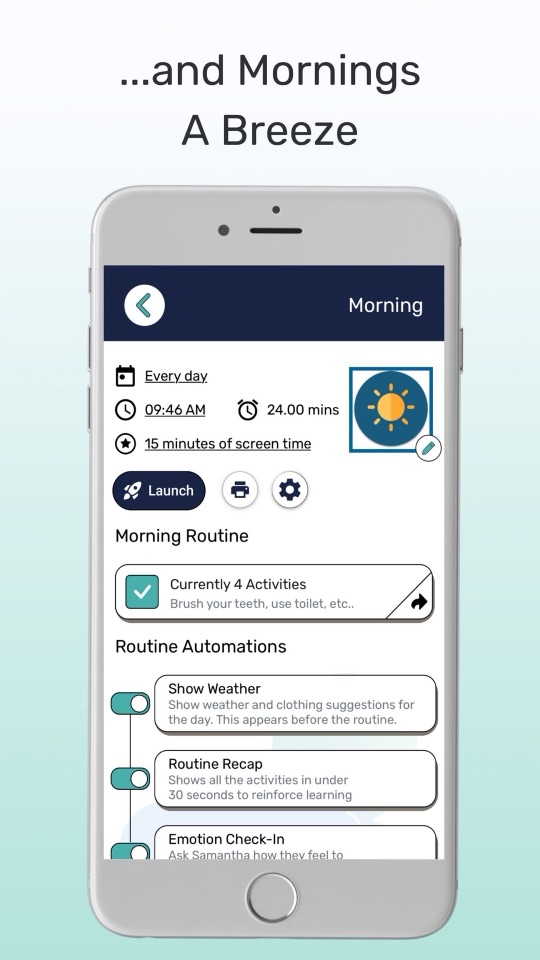
Goally sells a locked-down tablet for the child, controlled from a parent app. Routines play out one step at a time with picture or video prompts and a visual timer, and a set amount of screen time can be released at the end. For a child who cannot hold a normal tablet without disappearing into it, removing every other app from the device is a more honest fix than asking them to resist it.
Good
- Distraction removal is structural, not a rule you have to enforce. There is nothing else on the device to drift into.
- One step at a time with a timer on each — the most direct answer here to both task initiation and time blindness.
- Screen time is bounded and automatic, which turns the daily negotiation into a setting.
- Routine automations like a weather card before getting dressed and an emotion check-in afterwards.
Not so good
- The cost is in a different league: tablets start around $199 and go past $300, before subscriptions.
- Another device to charge and carry. If it stays home, the routine stays home with it.
- The parent app sits at about 4.3 stars and was last updated in June 2026 — the least actively maintained listing in this comparison.
- Hard to trial. You are buying hardware before you know the format suits your child.
4. Lil Planner, small steps for younger kids
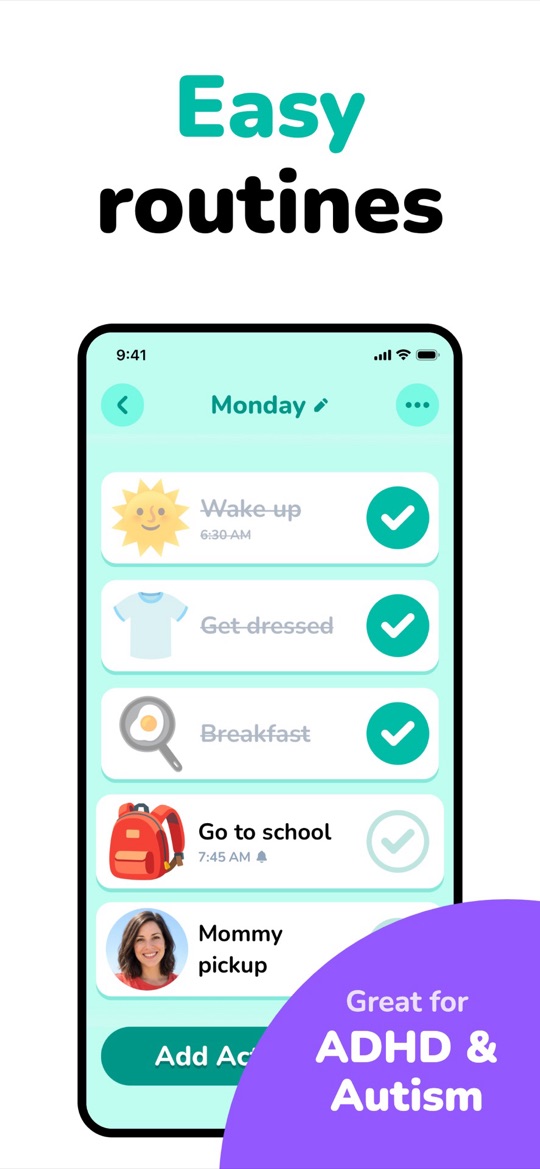
Lil Planner lays the day out as illustrated steps with times, ticked off one by one with a celebration. It is the best-rated app in this comparison — about 4.9 stars from more than 4,000 ratings — and its strength for ADHD is simply that a routine is displayed as separate small steps rather than one intimidating instruction. You can use your own photos, which helps a younger child who does not read fluently yet.
Good
- Breaks a routine into visibly small pieces, which is most of the battle at 5 to 9.
- A free tier that is enough to run a real morning routine before you decide about paying.
- Big, clean, high-contrast design a child can drive alone.
- iPhone, iPad and Android, and updated very frequently.
Not so good
- The free tier caps schedules and generally ties you to one device; family sync sits behind the paid plan.
- The reward side is light — a celebration and simple rewards, nothing like Joon’s economy.
- Aimed young. A 12 year old will find it babyish.
- Newer than the rest, with less of a track record.
5. Habitica, for older kids who resent being managed
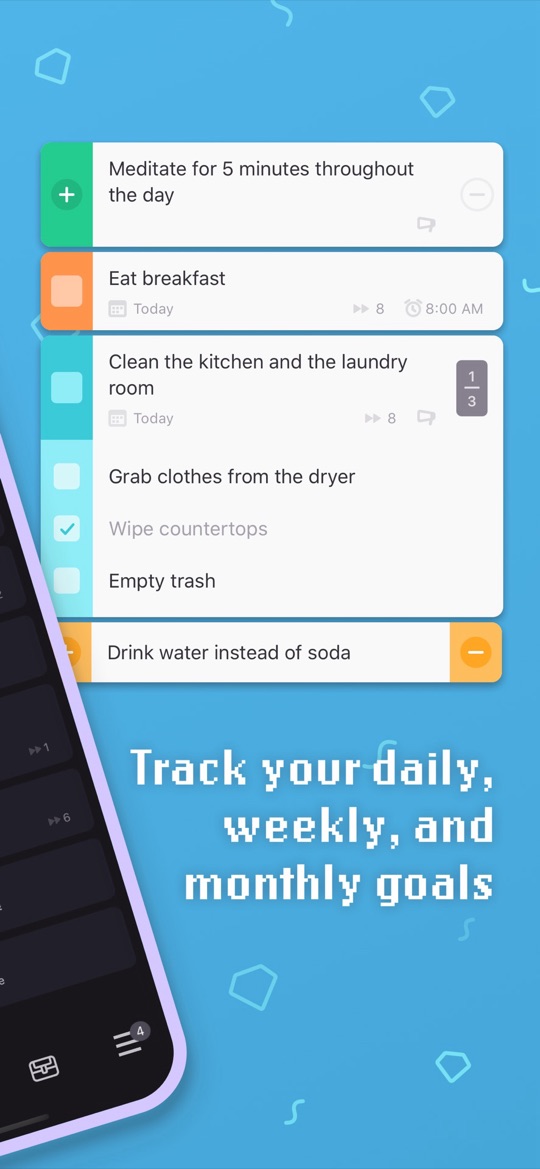
Habitica makes your child’s tasks into a retro RPG: dailies and habits earn experience and gold, skipped ones cost health, and a party of friends can fight a boss together where missed tasks damage everyone. There is no parent dashboard — the account belongs to the child. For an older ADHD kid who has rejected every chore chart on principle, that ownership is often the only version that gets used.
Good
- Rewards land instantly and visibly, with no adult in the loop at all.
- Free in every way that matters; the subscription is cosmetic.
- Subtasks make a vague job startable, and the party mechanic converts accountability into something social rather than parental.
- Not a kids app, so there is no stigma — plenty of ADHD adults run their week on it.
Not so good
- You cannot assign or verify anything. If the chores need to actually happen, this is a leap of faith.
- The setup is genuinely complicated — habits, dailies, to-dos, classes, stats — which is a poor fit for a child who struggles to start things.
- Rated 12+, and too much reading for under-tens.
- When a streak breaks or the character dies, abandonment is a common outcome.
6. Tiimo, for time blindness in a teenager
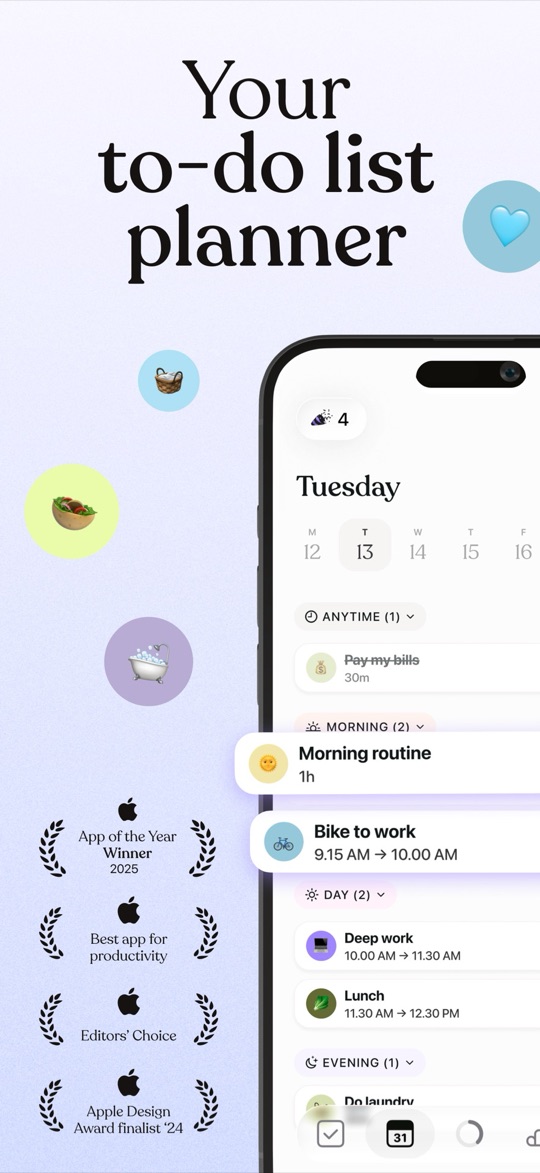
Tiimo is a visual day planner made for neurodivergent users — an Apple Design Award finalist and a Neurodiversity Award winner for assistive technology. The day is a colour-coded timeline where each block shows its duration, so the passage of time becomes something visible rather than something a teenager has to estimate. There is no chore assignment and no reward: it is a planning tool, and it belongs to the person using it.
Good
- The best answer here to "we leave in twenty minutes" meaning nothing — duration is drawn, not stated.
- Widgets and cross-platform sync put the plan on the lock screen instead of inside an app that never gets opened.
- Built with neurodivergent adults rather than adapted for them, with fine control over structure and notifications.
- Adult-looking, so a teenager will actually keep it on their phone.
Not so good
- Not a chore app at all. No assigning, no parent view, no rewards — if you need chores to be done and seen to be done, this is the wrong category.
- Pro is $7.99 a month or $79.99 a year, the priciest subscription here.
- Too much reading and too little structure for a young child.
7. S’moresUp, the free option when several kids share the list
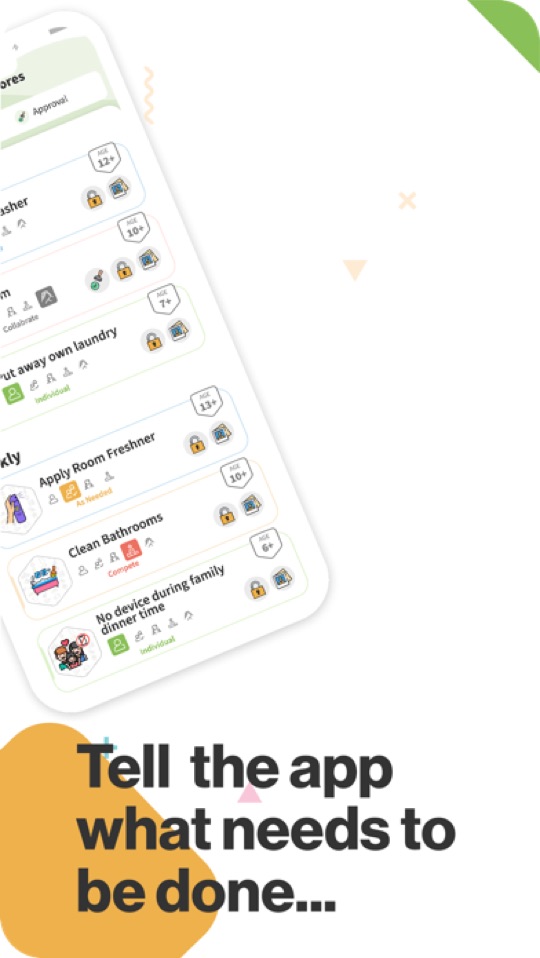
S’moresUp is a family organiser with a solid chore engine: assign, schedule, rotate between siblings, remind, and pay points into a wallet the child spends on rewards you set. Its relevance here is mostly economic — the core plan is free for unlimited family members, so a household with three kids can run a real chore system without paying anything.
Good
- Free core plan with no user limit, covering chores, reminders, the wallet and basic rewards.
- Sibling rotation is built in, which defuses the fairness argument before it starts.
- Age-tagged chore library, so you are not guessing what to assign a 9 year old.
- Around since 2017 and still actively updated.
Not so good
- Approvals and photo proof sit behind Premium at $9.99 a month or $99.99 a year — and approvals reintroduce exactly the delay an ADHD child cannot work with.
- Nothing in the child-facing view makes a kid want to open it. It is a parent’s tool.
- Broad rather than focused: chores, calendar, goals, playdates, hub. That is a lot of surface for a child who is easily pulled off task.
How to choose
- Nothing gets your child moving without a game: Joon, and budget for the annual plan.
- You want the routine to keep working on your worst week: Starday, because no step waits on you.
- The device itself is the distraction: Goally, if the hardware cost is bearable.
- Your child is 5 to 9 and stalls mid-routine: Lil Planner’s step-by-step view, free to try.
- Your teenager rejects anything you assign: Habitica for chores they own, Tiimo if the real issue is time.
- Three kids and no budget: S’moresUp on the free core plan.
Whatever you choose, shorten the list before you digitise it. Three tasks that happen daily beat eleven that happen sometimes, and you will find out which three by running it on paper for a fortnight first — our free printable routine checklists by age are the same packs that ship inside Starday. If you are weighing Joon specifically, we have a longer comparison of Joon alternatives covering the allowance-based apps too.
Screenshots are each app’s own App Store listing images and belong to their publishers. Prices, ratings and store availability were checked on 2026-09-21. Brili Routines, which appears on many older ADHD app lists, is not included: its children’s app has been removed from both the US App Store and Google Play, and the remaining listing is an adults’ habit tracker rated 17+ last updated in November 2025. This page compares consumer apps and is not medical advice.
Turn this checklist into quests
Paper charts die in a week. In Starday, every task on this list becomes a quest your child checks off on their own — earning stars they spend in a rewards shop you control. One family code syncs every device.


Parents ask
What is the best chore app for kids with ADHD?
Joon is the best-known and has the strongest review record, and for a child who needs a game to get started it is worth its price. The catch is that every quest needs parent approval before the reward lands, which delays exactly the feedback an ADHD child depends on. Starday is the better fit if you want the reward to arrive instantly and the routine to keep running on days you are too busy to check anyone’s work.
Why do chore apps stop working for ADHD kids after a few weeks?
Two reasons usually. The novelty of a new game or reward fades once it stops being new, which is why parents describe a strong first month followed by a cliff. And most apps quietly depend on the parent keeping up — approving tasks, restocking rewards, resetting the week — so the system fails on the first busy week. Apps that pay out automatically and need no daily parent action tend to last longer, even when they are less exciting on day one.
Is there a free chore app for ADHD kids?
Yes, several. Joon’s free tier allows up to 7 verified quests a day. S’moresUp’s core plan is free with no limit on family members. Habitica is free apart from cosmetic extras. Lil Planner has a free tier that covers a real morning routine. Starday is free permanently on the child’s side, with a 7-day trial of the parent features.
Should I pay my ADHD child for chores?
What matters more than whether it is money is how quickly it arrives. Research-informed advice for ADHD consistently favours small, immediate, frequent rewards over large delayed ones, so a weekly cash payout usually motivates less than something that lands the moment the task is done. Most apps here use points or stars that buy rewards you choose, which lets you keep the reward immediate and still decide what it is worth.
What helps a child with ADHD actually start a chore?
Make the task smaller and more visible. "Tidy your room" is a category, not a task, and an app that shows one line item does nothing to help; apps that break a routine into separate small steps, like Lil Planner or Goally, give a child a first move they can actually make. Adding a visible timer helps again, because it converts an abstract amount of time into something with a shape.
Do I need a separate app for each child?
Not usually. Starday and S’moresUp both cover every child in the family on one plan, which matters when siblings have different needs. The card-based allowance apps and most visual-schedule tools price per child or per device, so a household with three kids can end up paying three times. If only one child has ADHD, running the whole family on one routine app and layering a specialist tool on top is usually cheaper than buying two full systems.
Free printable checklists
- Routine checklists for kids by age — the task packs that ship in Starday, as PDFs.