
Best Chore Apps for Teens in 2026
A sticker chart does not work on a 15 year old. By the time a kid is a teenager the thing that moves them is money, autonomy, or a system they feel they own — not a parent ticking boxes on their behalf. These seven apps are the ones worth trying, what each actually pays out, and which age each one fits.
Updated 2026-09-21. Prices checked against each vendor's own pages.
What changes when they turn 13
Chore apps built for younger children lean on characters, stickers and parent approval. Every one of those is a reason for a teenager to quit. Three things tend to survive contact with an actual teen:
- Real money. An allowance that lands on a card they control is the most reliable motivator in this list, and it doubles as the budgeting lesson you wanted anyway.
- No supervision loop. If every task needs you to review and approve it, a teen reads it as surveillance — and you become the bottleneck the first week you get busy.
- A system they run. Some teens will happily keep a streak or an RPG character alive. That only works if the app is theirs, not a chore list you assigned.
The apps below split cleanly along those lines: money apps, routine apps, and one RPG. Pick by which lever your teen actually responds to.
The best chore apps for teens at a glance
| App | Best for | What motivates the teen | Price | Ages |
|---|---|---|---|---|
| Starday | Routines and accountability without nagging | Stars, streaks, and rewards you stock | Free for the teen’s side. Pro $4.99/mo or $29.99/yr, 7-day trial | 4 to 16 |
| Greenlight | Teens learning to budget, save and invest | Allowance on their own debit card | Core $5.99/mo up to Family Shield $24.98/mo, up to 5 kids | Roughly 8 to 18 |
| Acorns Early (GoHenry) | A first card with paid tasks attached | Money per task, plus savings goals | Basic $5/mo for one kid, Family $10/mo for four | 6 to 18 |
| BusyKid | A weekly payday on a prepaid card | Chores paid every Friday: spend, save, share or invest | $48/yr for up to 5 cards | 5 to 17 |
| Habitica | A teen who likes games and hates chore charts | An RPG character that levels up or takes damage | Free. Optional subscription $4.99/mo or $47.99/yr | 12+ (App Store rating) |
| S’moresUp | A free shared chore list for the whole house | Points in a wallet, rewards you define | Core plan free. Premium $9.99/mo or $99.99/yr | Any |
| Cozi | Families whose real problem is the schedule | Nothing built in — it is a shared calendar | Free with ads. Gold $39/yr | Parents and teens |
1. Starday, for routines a teen runs themselves
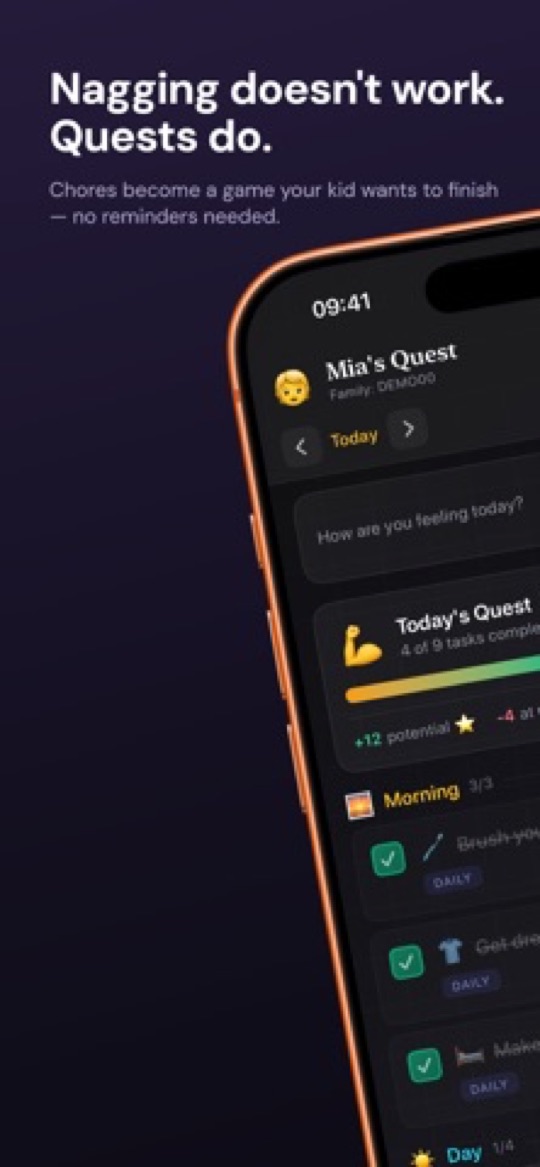
Starday is a routine calendar rather than an allowance app. You set the week once — homework block, training, chores, screen-time limits — and your teen gets a day view they work through on their own. Checking a task pays out its stars immediately, with no approval step, and the stars buy whatever you put in the rewards shop: a later curfew on Friday, a lift into town, cash if that is how your house works. One family code covers every phone, tablet and browser.
Why it fits a teenager
- No approval queue. The star lands the second they tick the task. Nothing about it feels like being marked, and you are never the reason the system stalled.
- A teen pack, not a kid pack. The built-in routine for ages 13 to 16 covers homework, sport, screen time and chores — not "brush your teeth" with a cartoon.
- It is a calendar too. Week, month and year views mean the dentist on Thursday and the exam in June sit alongside today’s list, which is the thing teenagers actually lose track of.
- Mood tracking. One tap a day. Over a term it tells you more about how school is really going than any conversation starting with "how was school".
- One price for the family. Pro is $4.99 a month or $29.99 a year and covers every child and device, so a 15 year old and a 7 year old cost the same as one.
Where it falls short
- No money features. Stars are stars — if your teen only moves for cash on a card, pair it with one of the banking apps below or pay out manually.
- The age packs stop at 16, so a 17 or 18 year old is building their routine from scratch.
- Creating quests and stocking the shop needs Pro once the 7-day trial ends. The teen-facing side stays free.
2. Greenlight, the best all-round teen money app
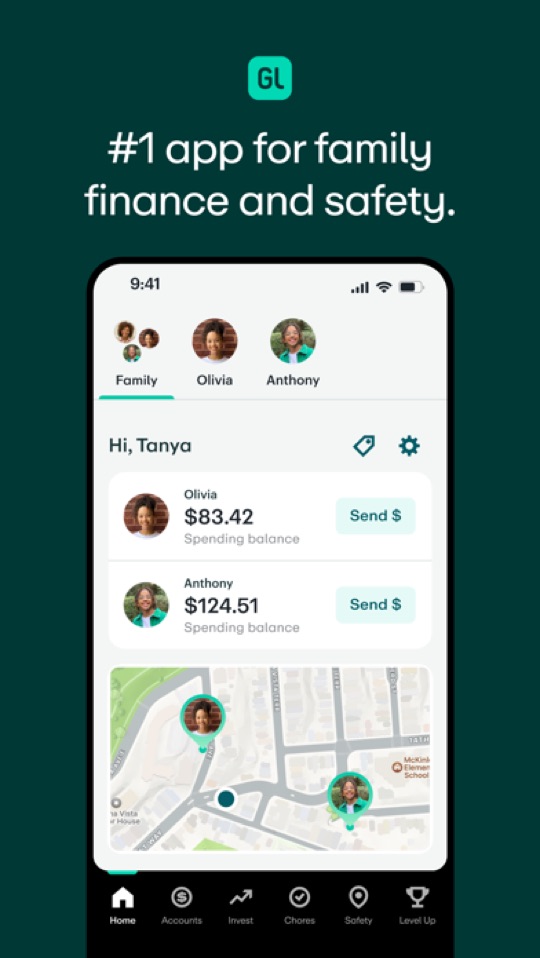
Greenlight is a debit card and banking app for families, with a chore list wired into the allowance. Finish the chores, the money moves; parents see every transaction, set spending controls per store category, and can switch on savings goals and investing as the teen gets older. It is the most widely used app on this page by a distance.
Good
- The chore-to-payday link is the whole point, and it works without you handing over cash.
- Genuinely good money lessons: savings goals with parent-paid interest, and investing with your approval on the higher tiers.
- One plan covers up to five kids, so siblings do not each add a fee.
- Spending controls and instant transaction alerts, which is what makes parents comfortable giving a 13 year old a card at all.
Not so good
- No free tier. Plans run from $5.99 a month (Core) to $24.98 (Family Shield), charged whether or not the card gets used that month.
- The chore tracker is a feature of a banking app, not a routine system. Daily habits, streaks and non-paid responsibilities are not really its job.
- It only motivates a teen who cares about money. If yours has no spending ambitions, the card is an expensive to-do list.
3. Acorns Early (formerly GoHenry), the cheaper first card
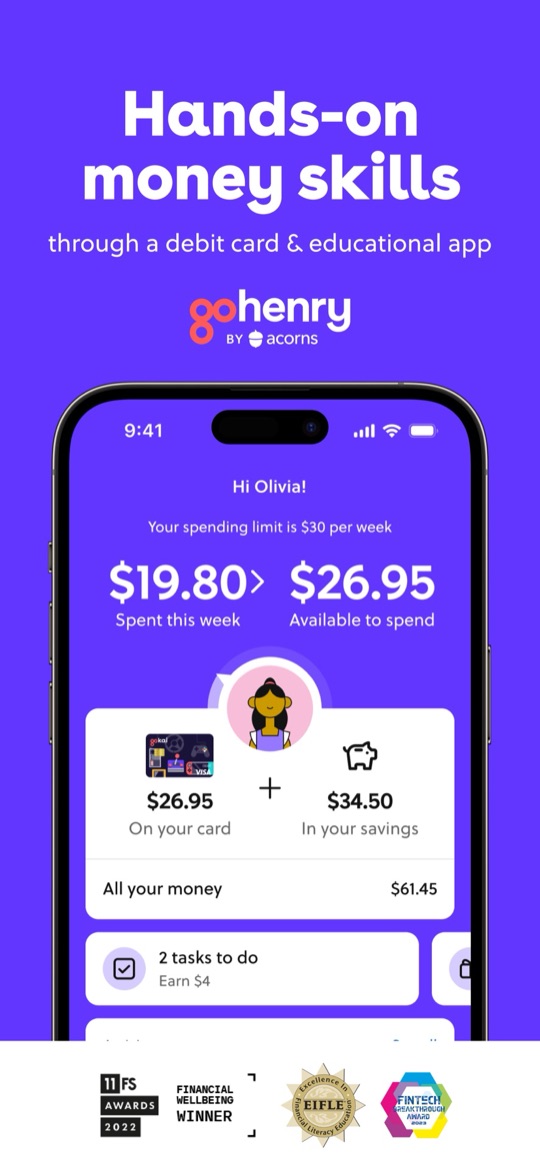
GoHenry was bought by Acorns and now trades as Acorns Early. The shape is familiar: a kids and teens debit card, parent-set spending limits, automated allowance, and paid tasks the teen ticks off to earn. It is aimed at ages 6 to 18, and the in-app money lessons are the part parents tend to rate most highly.
Good
- Cheaper than Greenlight if you have one child: $5 a month on Basic, versus $5.99 for Greenlight’s entry plan.
- Paid tasks are front and centre in the teen’s own view — they can see exactly what this week’s jobs are worth.
- Strong financial-literacy content, with quizzes and videos built for teenagers rather than bolted on.
- Parent-set weekly spending limits, so a card does not mean unlimited spending.
Not so good
- Basic covers only one child; a family of four kids needs the $10 a month Family plan.
- Another subscription with no free tier, on top of whatever else the family already pays for.
- Chores here means paid tasks. There is no routine, streak or habit side to it at all.
4. BusyKid, a real Friday payday
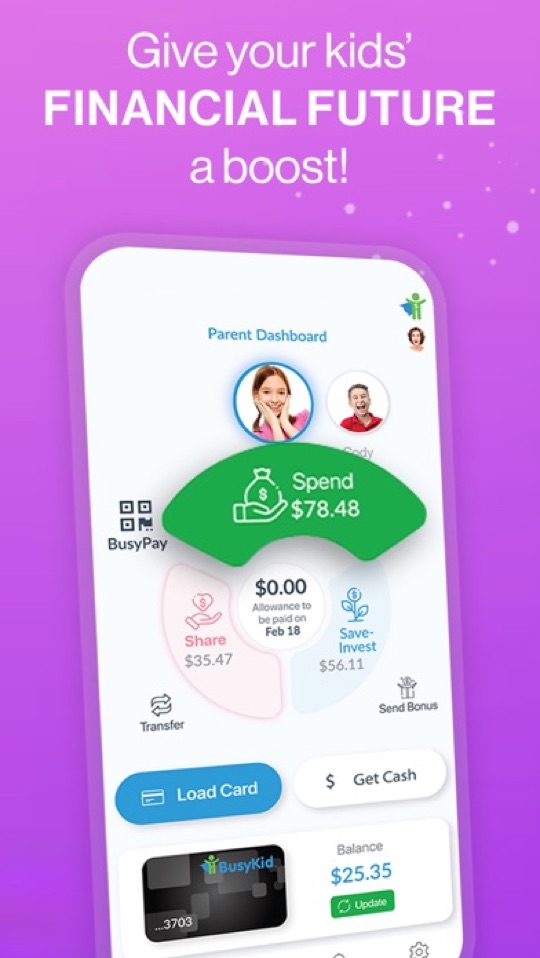
BusyKid runs on a weekly rhythm: chores through the week, payday on Friday, onto a Visa prepaid card. The money is then split across spend, save, share and invest, so a teen can buy fractional shares or give to a charity alongside spending. At $48 a year for up to five cards it is the cheapest way on this page to get a card into a teenager’s hands.
Good
- The cheapest card option here at $48 a year for the family, with up to five cards included.
- The spend / save / share / invest split is a better money lesson than a single balance, and teens can buy fractional shares.
- A weekly payday is concrete in a way a running balance is not — most teens can tell you exactly what Friday is worth.
Not so good
- The App Store rating is the weakest here — 3.4 stars across about 1,500 ratings, with recurring complaints about card and transfer issues. Worth reading recent reviews before you commit.
- Parents approve the week’s chores before payday, so the approval loop is back.
- US-only, and extra cards beyond the included five cost more.
5. Habitica, for the teen who would rather play than be managed
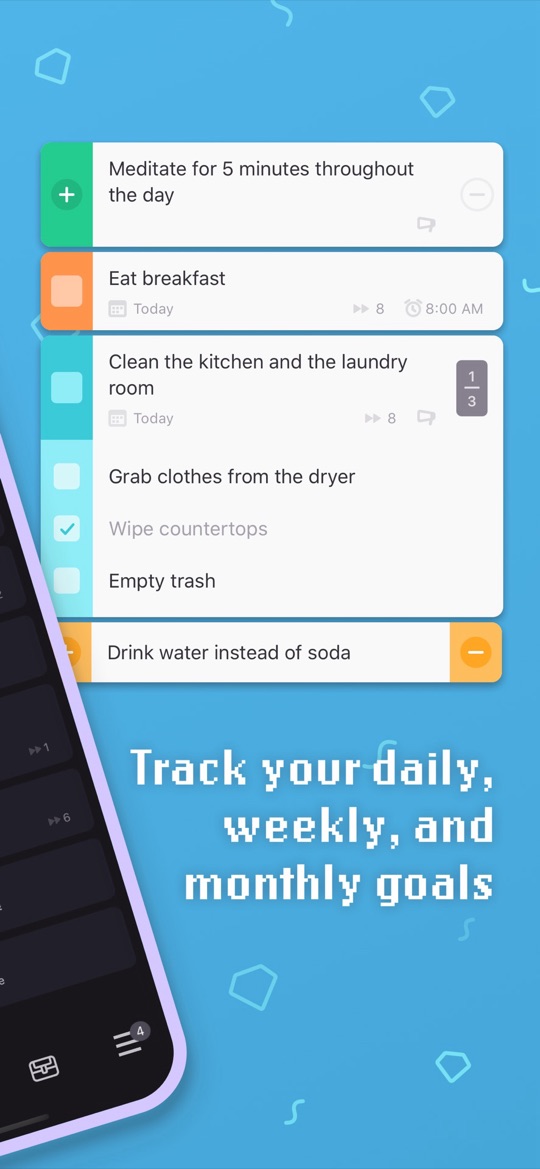
Habitica turns tasks into a retro role-playing game: your teen has a character that gains experience and gold for completed habits and dailies, and takes damage when they are skipped. They can join a party with friends and fight a boss together, where missed tasks hurt the whole party. Crucially, it is a personal productivity app that happens to suit chores — the teen owns the account.
Good
- Free, properly — the subscription only adds cosmetic gems and mystery items.
- It is not a kids app, so there is no stigma in using it. Plenty of adults run their week on it.
- Party mode turns accountability into peer pressure from friends rather than nagging from a parent.
- Tasks break into subtasks, which is the difference between "clean your room" and something actually startable.
Not so good
- No parent dashboard at all. You cannot assign a chore or verify one — you are trusting the teen entirely.
- Rated 12+ on the App Store, and the setup (habits vs dailies vs to-dos, stats, classes) takes real effort to learn.
- If the character dies or the streak breaks, a lot of teens simply abandon the account rather than restart.
6. S’moresUp, the free option for a whole household
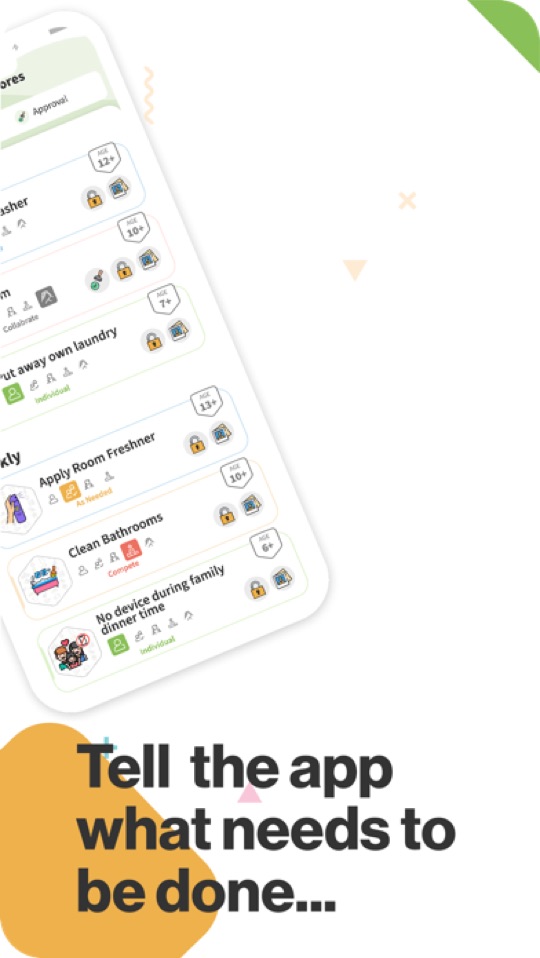
S’moresUp is a family organiser with a capable chore system inside it: assign jobs, schedule and rotate them between siblings, send reminders, and pay points into a wallet the child spends on rewards you define. The core plan is free for unlimited family members, which makes it the obvious first try when several kids share the chore list.
Good
- The free plan covers chores, reminders, the wallet and basic rewards for the whole family, with no user limit.
- Rotation between siblings is built in, which settles the "why is it always me" argument teens are very good at having.
- Age tags on the chore library take the guesswork out of what is reasonable to assign a 14 year old.
Not so good
- Premium is $9.99 a month or $99.99 a year, and that is where approvals, photo proof, rotation rules and analytics live.
- It is designed for the parent to drive. There is very little in the teen-facing view to make them open it unprompted.
- Broad rather than deep: chores, calendar, goals, playdates. A teenager mostly wants the one screen that concerns them.
7. Cozi, when the real problem is the schedule
Cozi is the long-running shared family calendar: colour-coded per person, with shopping and to-do lists alongside. It has no points, no rewards and no chore economy — but with a teenager whose week is training, shifts and revision, the actual fight is often about where they are supposed to be, not whether the bins went out.

Good
- Everyone can see the same week, including grandparents and a co-parent in another house.
- Teens tend to accept a calendar invite far more readily than an assigned chore.
- The free version covers the essentials.
Not so good
- No chore tracking worth the name — the to-do list is shared, not motivating.
- The free tier has ads and a limited calendar window; Cozi Gold is $39 a year.
- You will need a second app if chores are the actual problem.
How to choose
- Your teen wants money and you want them to learn to manage it: Greenlight, or Acorns Early if you have one child and want to pay less.
- You want a card without a monthly subscription: BusyKid at $48 a year — but read the recent reviews first.
- The problem is the routine, not the reward: Starday. The teen runs the day, and you are not approving anything.
- Your teen resents being managed at all: Habitica, on their own account, and stay out of it.
- Several kids, no budget: S’moresUp on the free core plan.
- Nobody knows who is where on Thursday: Cozi, plus one of the above for the chores.
Whichever you pick, write the week down before you automate it. Our free teen routine checklist for ages 13 to 16 is the same pack that ships inside Starday, and a fortnight on the fridge shows you which tasks are worth putting in an app at all. The rest of the printable routine checklists by age are there too, for younger siblings.
Screenshots are each app’s own App Store listing images and belong to their publishers. Prices, ratings and store availability were checked on 2026-09-21; subscription pricing in this category changes often, so confirm on the vendor’s own page before you pay.
Turn this checklist into quests
Paper charts die in a week. In Starday, every task on this list becomes a quest your child checks off on their own — earning stars they spend in a rewards shop you control. One family code syncs every device.


Parents ask
What is the best chore app for teenagers?
It depends on the motivator. If your teen responds to money, Greenlight is the most complete choice, with Acorns Early cheaper for a single child and BusyKid cheapest overall at $48 a year. If the problem is the daily routine rather than the reward, Starday works better because tasks pay out instantly with no parent approval. For a teen who resists being managed at all, Habitica lets them run the whole thing themselves.
Should teenagers be paid for chores?
Most family finance guidance splits the difference: basic contributions like tidying their own room stay unpaid because they are part of living in the house, while extra jobs earn money. Greenlight and Acorns Early both model that split by letting you mark which tasks pay. Starday takes the other route — stars buy rewards you define, which can be money, screen time or a later curfew, so you decide what a task is worth without it always being cash.
Is there a free chore app for teens?
Yes. S’moresUp’s core plan is free for unlimited family members and covers chores, reminders and a rewards wallet. Habitica is free apart from cosmetic extras. Starday is free on the teen’s side permanently, with a 7-day trial of the parent features. Every card-based app on this page — Greenlight, Acorns Early and BusyKid — charges a subscription with no free tier.
At what age can a teen get their own debit card?
The apps here start younger than most parents expect: Greenlight is used from around age 8, Acorns Early covers 6 to 18, and BusyKid runs 5 to 17. All of them are parent-controlled accounts with spending limits and transaction alerts rather than independent bank accounts, so the practical question is whether your teen is ready to manage a balance, not whether the app allows it.
How do I get my teenager to actually use a chore app?
Let them own it. Pick the app together, let them set the reward prices with you, and remove any step where you approve their work — that single change is what most parents report as the difference between an app that lasts and one that is deleted in a fortnight. Start with three or four tasks that genuinely matter, not a complete list of everything you wish they did.
Free printable checklists
- Routine checklists for kids by age — the task packs that ship in Starday, as PDFs.