
S’moresUp Alternatives: 5 Family Chore Apps Compared
S’moresUp gives away more than almost anyone: a free core plan with no cap on family members, covering chores, reminders and a rewards wallet. The two things that send parents looking elsewhere are the jump to $99.99 a year for Premium, and how much app there is to set up before anything happens. Here are five alternatives and what each trades away.
Updated 2026-09-22. Prices checked against each vendor's own pages.
S’moresUp in short: generous, but a lot of app
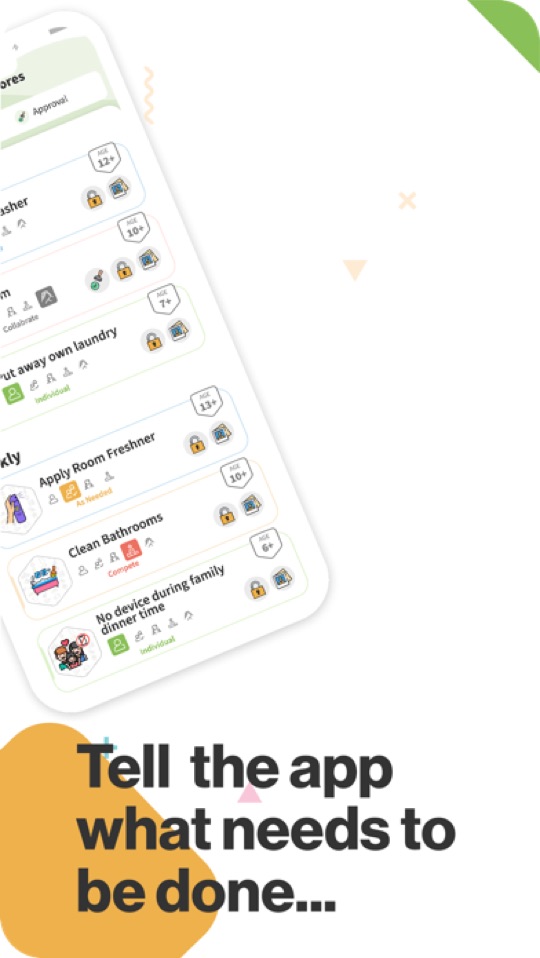
S’moresUp is a household organiser with a capable chore engine inside it. You assign and schedule jobs, rotate them between siblings, send reminders, and points land in a wallet the child spends on rewards you define. Around that sit a family calendar, a shared "campfire" hub, goals and a playdate planner. It has been shipping since 2017, and the core plan is free for unlimited family members and devices, with a 45-day taste of Premium up front.
What it does well
- A genuinely usable free plan with no limit on family members — rare in this category.
- Sibling rotation built in, which settles most of the fairness arguing.
- Age tags on the chore library, so you are not guessing what a 9 year old should be doing.
- Nearly a decade of continuous development behind it.
- Chores and a family calendar in one app, so you are not running two.
Why parents look elsewhere
- Premium is $9.99 a month or $99.99 a year — more than Joon’s annual price, and the most expensive upgrade in this comparison. Approvals, photo proof, rotation rules and analytics all live behind it.
- It is built for the parent. There is no kid-facing game, theme or reason for a child to open it on their own.
- A lot of surface area. Chores, calendar, hub, goals, playdates — if you only wanted a chore list, most of the app is in the way.
- Approvals put you back in the loop: the child marks a job done, you review it, then the points land.
- No routine or day structure — it tracks outstanding jobs, not what today looks like.
If the free plan covers you and the setup does not bother you, there is little reason to move. The alternatives below each fix one specific complaint: price, child engagement, simplicity, or the fact that it is a chore list rather than a routine.
The alternatives at a glance
| App | Fixes which complaint | How kids are motivated | Price | Ages |
|---|---|---|---|---|
| Starday | No day structure; nothing for the child | Stars on the tap, streaks, a rewards shop | Free for the kid’s side. Pro $4.99/mo or $29.99/yr | 4 to 16 |
| Kikaroo | The price of Premium | Points for rewards you choose | Free tier. Premium $2.99/mo or $29.99/yr | 4 to 18 |
| Chorsee | Chore features locked behind Premium | Allowance, points, or nothing — your choice | Free to start, with a paid upgrade | Any |
| Joon | Kids who will not open it | Coins to feed and level up a virtual pet | Free (7 quests/day). Premium $12.99/mo or $89.99/yr | 6 to 12 |
| Cozi | Too much app when you only wanted a calendar | Nothing built in — it is a planner | Free with ads. Gold $39/yr | Parents |
1. Starday, for a day with a shape
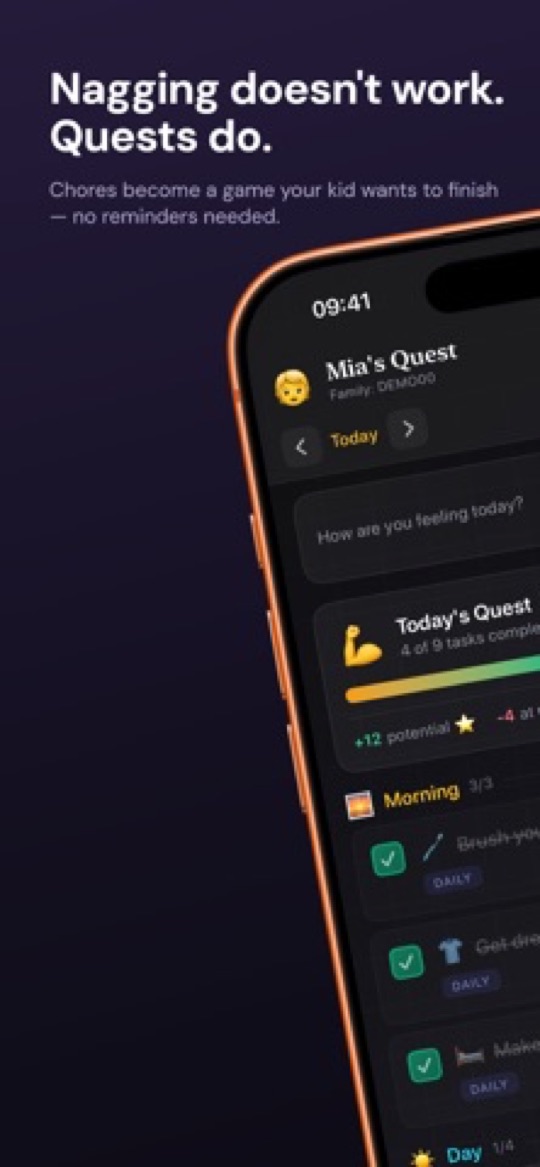
Starday answers the complaint S’moresUp cannot: it gives the child something to run. You set a routine once for morning, daytime and evening, and your child gets a day view they work through alone — check the quest, the stars arrive immediately, the progress ring fills. There is no approval queue at any tier, and the parent side lives behind a passcode in the same app rather than in a separate product.
Where it beats S’moresUp
- No approval step, ever. S’moresUp puts approvals behind a $99.99-a-year plan; Starday does not have them at all, because stars pay out on the tap.
- A routine, not a backlog. Day, week, month and year views, streaks and an activity heatmap, so the day is structured rather than a list of outstanding jobs.
- Half the price at the top tier: Pro is $4.99 a month or $29.99 a year for every child, against $9.99 or $99.99.
- Built for the child to open. Progress rings, stars and a rewards shop they browse, rather than a parent dashboard.
- Age-based routine packs and add-ons for hygiene, movement, music and eating, all also free printable PDFs.
Where S’moresUp wins
- S’moresUp’s free tier is more generous — Starday needs Pro for the parent side after a 7-day trial.
- No family calendar for adults, no shopping list, no playdate planner. Starday is the children’s side only.
- No sibling rotation: quests are assigned per child.
- Age packs stop at 16, where S’moresUp has no ceiling.
2. Kikaroo, the cheap upgrade path
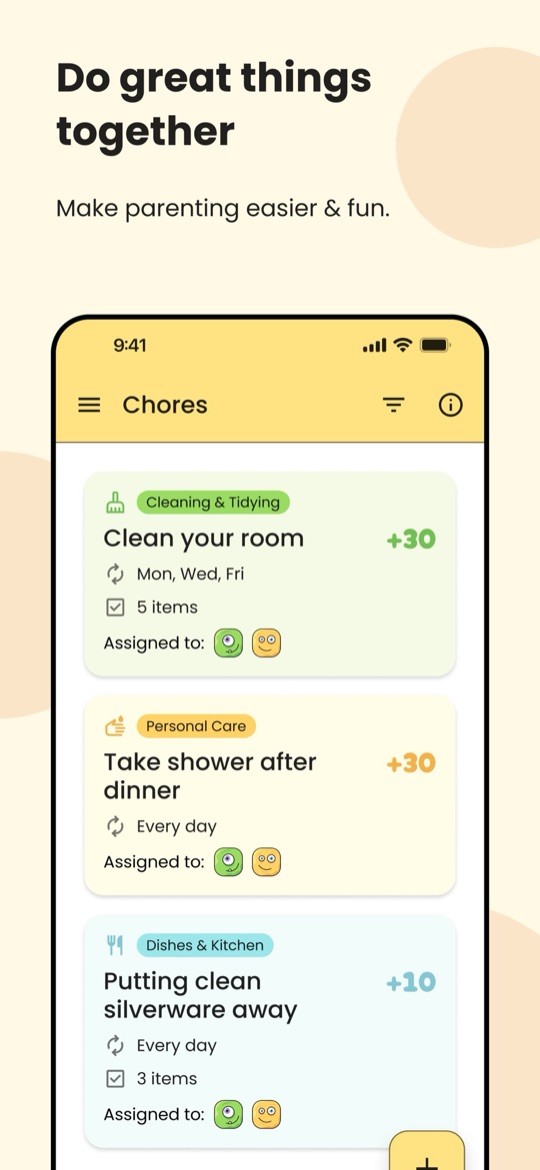
If the free plan almost works and the only problem is what Premium costs, Kikaroo is the obvious swap. Its free tier also covers unlimited children and chores with custom rewards and reminders, and the paid tier — checklists plus an open-chore pool where the first child to finish a posted job takes the points — is $2.99 a month or $29.99 a year.
Good
- Premium costs about a third of S’moresUp’s, for a similar free baseline.
- Separate parent and child logins, so each kid sees only their own list.
- Open chores are a genuinely different mechanic, and they work well with competitive siblings.
- iPhone and Android, ages 4 to 18, updated frequently.
Not so good
- Very new: about a dozen App Store ratings, against nearly a decade of history behind S’moresUp.
- No family calendar, hub or playdate planner — it is a chore list and nothing more.
- No routine or streaks, so daily habits are not really modelled.
- Points only, with no allowance or cash side.
3. Chorsee, if you want the Premium features without the Premium price
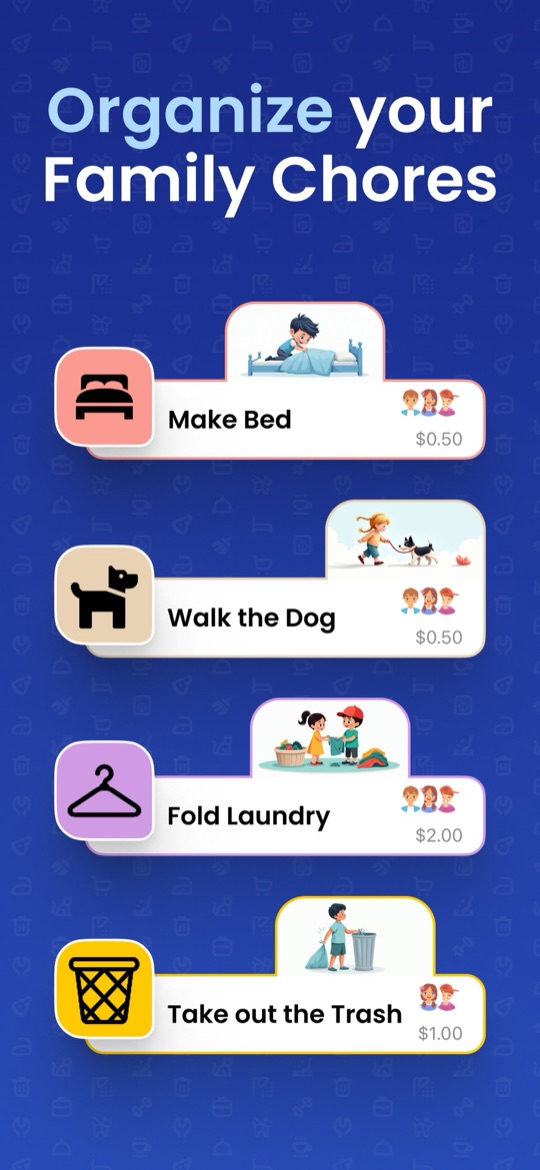
The features S’moresUp reserves for Premium — photo proof, rotation, subtasks, flexible schedules — are much of what Chorsee is built around. It does colour-coded chores with custom icons, daily, weekly, monthly or alternating schedules, rotation between siblings, up-for-grabs jobs, reminders, subtasks and photo proof, with a balance you can run in allowance, in points, or not at all. It holds about 4.6 stars from nearly 12,000 ratings.
Good
- Photo proof and rotation without a $99.99 plan, which is the single most common reason to switch from S’moresUp.
- You choose the economy — cash allowance, points, or no rewards at all.
- Subtasks break "clean your room" into something a child can actually start.
- The strongest review record of the small chore apps in this comparison.
Not so good
- Third-party sites quote its subscription at several different prices, so check the current tier in the App Store first.
- We could not confirm a US Google Play listing, so treat it as iPhone and iPad first.
- No calendar, hub or planner — narrower than S’moresUp by design.
- Photo proof still means you reviewing work, so the approval loop does not go away.
4. Joon, when the problem is that nobody opens it
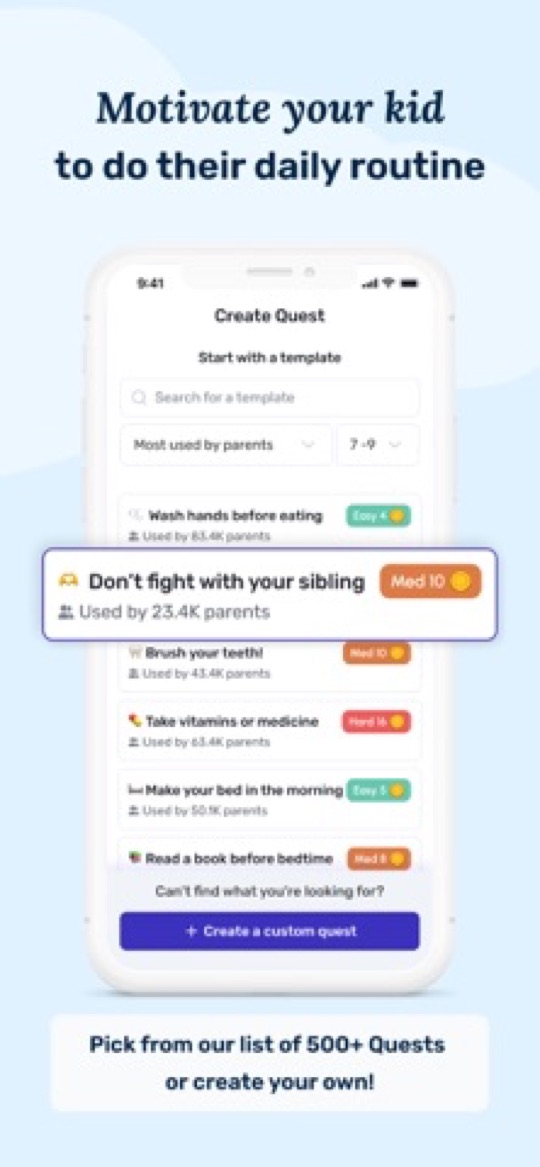
S’moresUp’s weakest point is that a child has no reason to launch it. Joon is the opposite: chores become quests, and the coins feed a virtual pet the child raises and levels up. Built with clinical input around ADHD and aimed at ages 6 to 12, it holds about 4.7 stars from more than 6,500 ratings — the best-established app on this page.
Good
- The game works. Parents frequently report children asking to do chores, which no points wallet achieves.
- Short, concrete quests aimed at children who struggle to get started.
- A free tier of up to 7 verified quests a day.
- The largest, most-reviewed user base in this comparison.
Not so good
- $12.99 a month or $89.99 a year — even more than S’moresUp Premium.
- Every quest needs your approval before coins land, so you are in the loop daily.
- Two separate apps, one for parents and one for kids.
- Ages 6 to 12 only, and not built for teens.
- Enthusiasm commonly fades after four to eight weeks.
5. Cozi, if you only ever used the calendar
A fair number of S’moresUp households end up using the calendar and ignoring the chore engine. If that is you, Cozi does that job with far less setup: colour-coded events per person, to-do and shopping lists, and meal planning, easy enough for grandparents and co-parents to join.

Good
- Dramatically simpler than S’moresUp if the calendar was the only part you used.
- Shopping and meal planning included.
- The best-known family calendar, so other adults adopt it without complaint.
- The free version covers the essentials.
Not so good
- No chores, points or rewards at all — you would need a second app for the children.
- The free tier has ads and a limited calendar window; Gold is $39 a year.
How to choose
- Premium is the only thing wrong: Kikaroo at $2.99 a month, or Chorsee if you want depth.
- Your children never open it: Starday if you want a routine they run, Joon if only a game will do.
- You want photo proof and rotation without the price: Chorsee.
- It is more app than you need: Cozi for the calendar, Starday for the kids’ side, and drop the rest.
- The free plan works fine: stay where you are. Very little here beats it on price.
Before you migrate, print the list. Our free printable routine checklists by age are the same packs that ship inside Starday, and putting a fortnight on the fridge usually cuts a household chore list roughly in half — which makes whichever app you choose much quicker to set up. If you are also comparing the bigger names, see our Joon alternatives guide.
Screenshots are each app’s own App Store listing images and belong to their publishers. Prices, ratings and store availability were checked on 2026-09-22.
Turn this checklist into quests
Paper charts die in a week. In Starday, every task on this list becomes a quest your child checks off on their own — earning stars they spend in a rewards shop you control. One family code syncs every device.


Parents ask
Is S’moresUp really free?
The core plan is, and it covers unlimited family members with chores, reminders, a rewards wallet and a family calendar. What is not free is approvals, photo proof, rotation rules and analytics, which sit behind Premium at $9.99 a month or $99.99 a year — the most expensive upgrade among the apps on this page. New accounts get 45 days of Premium up front, so check what you actually use before it lapses.
What is the cheapest S’moresUp alternative?
Kikaroo, at $2.99 a month or $29.99 a year for its paid tier, with a free tier that matches S’moresUp’s on unlimited children and chores. Starday is next at $4.99 a month or $29.99 a year, and covers every child in the family on one plan. Both are a fraction of S’moresUp Premium.
Which chore app do kids actually want to open?
Joon, by most accounts — the virtual pet gives a child a reason to launch the app that a points wallet does not, though the effect commonly fades after a couple of months. Starday takes a middle route with progress rings, streaks and a rewards shop the child browses themselves. S’moresUp is explicitly a parent’s tool, which is its most common criticism.
Does S’moresUp have an approval step?
Yes, on the Premium plan — the child marks a chore done, you review it, then the points land. Some parents want exactly that; others find it becomes the bottleneck the first week they get busy. Starday has no approval step at any tier, and Kikaroo pays out without you as well.
Can I use S’moresUp for daily routines rather than chores?
You can schedule recurring tasks, but it models them as outstanding jobs rather than a structured day, and there are no streaks. If the problem is that mornings and bedtimes have no shape, a routine app fits better — Starday splits the day into morning, daytime and evening with streaks and a calendar, and ships age-based routine packs you can start from.
Free printable checklists
- Routine checklists for kids by age — the task packs that ship in Starday, as PDFs.