
Kikaroo Alternatives: 5 Kids Chore Apps Compared
Kikaroo is one of the cheapest chore apps going — a free tier with unlimited kids and chores, and $2.99 a month if you want the extras. That is a genuinely good deal. It is also a very new app with a very small user base, which is the main reason parents come looking for something else. Here are five alternatives and what each one does better.
Updated 2026-09-22. Prices checked against each vendor's own pages.
Kikaroo in short: cheap and capable, but young
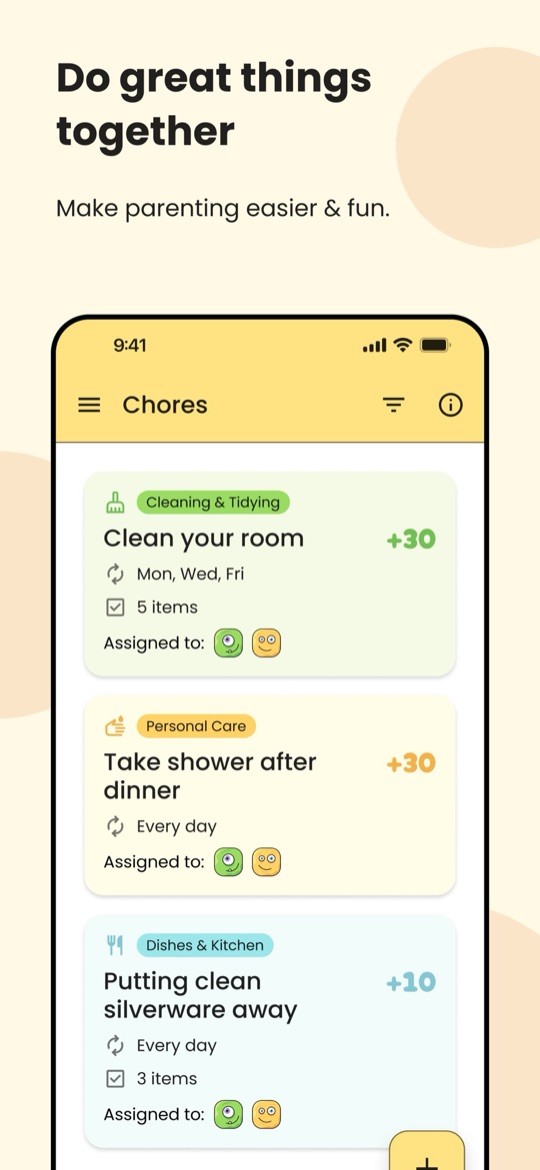
Kikaroo assigns chores with point values, and the points buy rewards you choose — screen time, treats, pocket money, an outing. Parents and children get separate logins, the free tier covers unlimited kids and unlimited chores, and premium adds chore checklists and an "open chore" pool where a job is posted to the whole family and the first child to finish it takes the points. It covers ages 4 to 18, and at $2.99 a month or $29.99 a year the paid tier is the cheapest here.
What Kikaroo gets right
- The free tier is real. Unlimited children, unlimited chores, custom rewards and reminders without a card on file.
- The cheapest paid tier in this comparison at $2.99 a month or $29.99 a year.
- Separate parent and child logins, so a child sees their own list rather than the whole household’s.
- Open chores turn "someone walk the dog" into a race, which works well with competitive siblings.
- On iPhone and Android, and updated frequently.
Why parents look elsewhere
- Almost no track record. Apple lists about 12 ratings. Kikaroo’s own site advertises 4.9 stars; the verified App Store average is 4.6 across that dozen. Either way it is far too small a sample to tell you much, and a small studio can stop shipping at any point — as OurHome’s users found out.
- Points only. No allowance transfers, no card, no cash balance, so it will not carry a teenager who is motivated by money.
- Chores, not routines. There is no calendar, no day view and no streaks — it answers "what jobs are outstanding", not "what does today look like".
- Checklists sit behind the paid tier, so breaking a big chore into steps costs money.
- No game world, so a child who needs a character to care about will not get one here.
None of that makes Kikaroo a bad pick — for a big family on no budget it is arguably the best value on this page. But if you want a longer track record, a routine rather than a chore list, or money as the reward, keep reading.
The alternatives at a glance
| App | Best for | How kids are motivated | Price | Ages |
|---|---|---|---|---|
| Starday | A daily routine, not just a chore list | Stars, streaks, a rewards shop you stock | Free for the kid’s side. Pro $4.99/mo or $29.99/yr | 4 to 16 |
| Kikaroo | Big families on the tightest budget | Points for rewards you choose | Free tier. Premium $2.99/mo or $29.99/yr | 4 to 18 |
| Chorsee | The most chore features for the money | Allowance, points, or nothing — your choice | Free to start, with a paid upgrade | Any |
| S’moresUp | A free organiser for a whole household | Points in a wallet, rewards you define | Core plan free. Premium $9.99/mo or $99.99/yr | Any |
| Joon | A child who only moves for a game | Coins to feed and level up a virtual pet | Free (7 quests/day). Premium $12.99/mo or $89.99/yr | 6 to 12 |
| Greenlight | Teens who want real money | Allowance on their own debit card | Core $5.99/mo up to $24.98/mo, up to 5 kids | Roughly 8 to 18 |
1. Starday, if you want a routine rather than a chore list
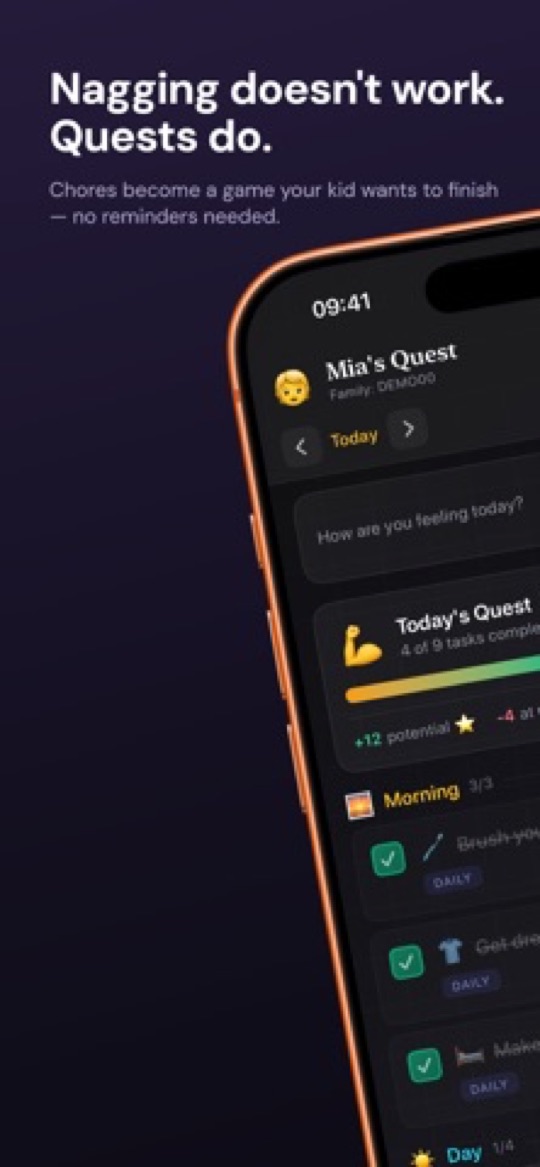
Starday starts from the day rather than the job list. You set a routine once — morning, daytime, evening — and your child gets a day view they work through alone, with stars landing the moment a task is checked and a progress ring filling as the day goes. Stars buy rewards you stock. Like Kikaroo there is no approval step, and one family code covers every phone, tablet and browser.
Where it beats Kikaroo
- A calendar, not a backlog. Day, week, month and year views, so the dentist on Thursday sits next to today’s routine. Kikaroo has no calendar at all.
- Streaks and an activity heatmap for habits that need to happen every day, which a chore list does not reward.
- Age-based routine packs from preschool to 16, plus add-ons for hygiene, movement, music practice and eating — you are not starting from an empty screen.
- Mood tracking. One tap a day, and a month of it is genuinely useful at a school or doctor appointment.
- Free printable versions of every pack, so you can test a routine on the fridge before anyone installs anything.
Where Kikaroo wins
- Kikaroo’s free tier is more generous — Starday needs Pro for the parent side once the 7-day trial ends, though the child’s side stays free.
- No open-chore pool. Quests are assigned to a child rather than raced for.
- Age packs stop at 16, where Kikaroo goes to 18.
- No cash or allowance features in either app, if money is what you actually need.
2. Chorsee, the most features per dollar
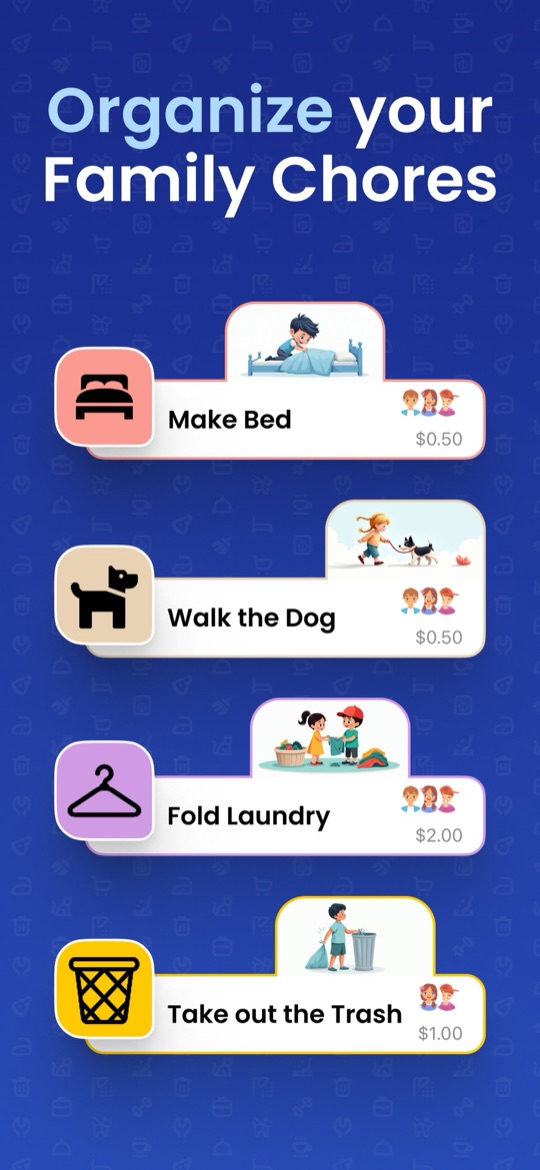
Chorsee is the one to try if Kikaroo felt too thin. It does colour-coded chores with custom icons, schedules that run daily, weekly, monthly or on alternating days, rotation between siblings, "up for grabs" chores like Kikaroo’s open pool, subtasks, reminders, photo proof, and a balance you can denominate in allowance, in points, or not at all. It has by far the strongest review record of the small chore apps here — about 4.6 stars from nearly 12,000 ratings.
Good
- A real track record: roughly 12,000 ratings against Kikaroo’s twelve, which is the single biggest reason to move.
- Photo proof and subtasks, so "clean your room" can be verified and broken down — both useful once children learn to claim a job is done.
- You pick the economy: cash allowance, points, or no rewards at all for families who do not want to pay for chores.
- Rotation and up-for-grabs chores both included, so sibling fairness is handled.
Not so good
- Third-party sites quote its subscription at several different prices, so check the current tier in the App Store before committing — we have not been able to verify one figure.
- We could not confirm a US Google Play listing, so treat it as iPhone and iPad first.
- Like Kikaroo it is a chore tracker: no routine view, no streaks, nothing that models a day.
- Photo proof means parent review, which puts you back in the loop Kikaroo avoids.
3. S’moresUp, the free household organiser
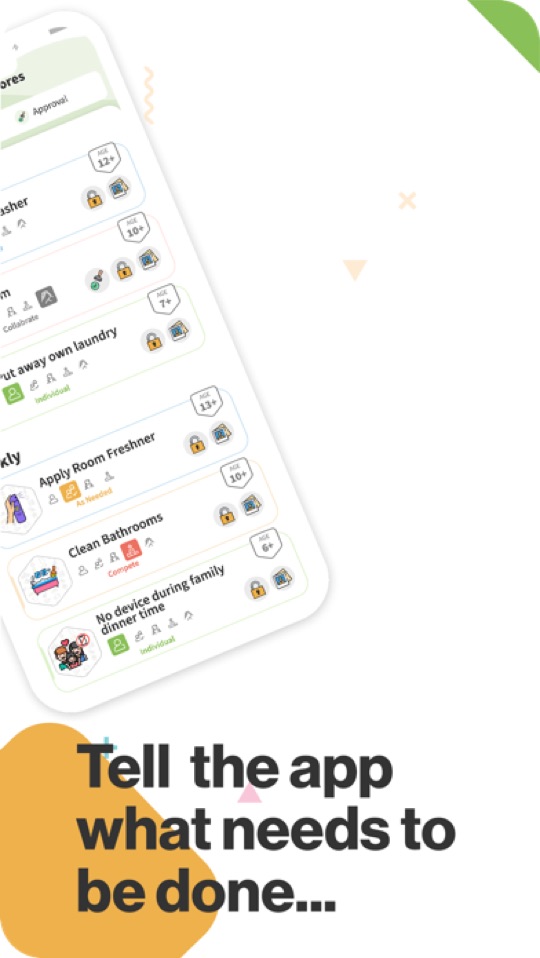
S’moresUp is the other genuinely free option, and it reaches wider than Kikaroo: chores with rotation and reminders sit alongside a family calendar, a shared hub and a playdate planner, with points landing in a wallet the child spends on rewards you define. The core plan carries unlimited family members, and it has been shipping since 2017.
Good
- Free core plan with no cap on family members — the closest match to Kikaroo’s pricing model.
- Nearly a decade of history, which is exactly what Kikaroo lacks.
- Age tags on the chore library take the guesswork out of what to assign a 9 year old.
- A family calendar included, so it covers ground Kikaroo does not.
Not so good
- Premium is $9.99 a month or $99.99 a year — more than three times Kikaroo’s paid tier — and that is where approvals, photo proof, rotation rules and analytics live.
- Built for the parent to drive; there is little in the child-facing view to pull a kid back in.
- Wide rather than deep. If you only wanted a chore list, most of the app is noise.
4. Joon, when points are not enough
If your child shrugs at points, Joon is the app that most reliably changes that. Chores become quests, and the coins feed a virtual pet the child raises and levels up. It was built with clinical input around ADHD, aims at ages 6 to 12, and holds about 4.7 stars from more than 6,500 ratings — the strongest review record in this comparison by a wide margin.

Good
- The game genuinely works. Parents routinely report a child asking to do chores, which points-based apps rarely achieve.
- Short, concrete quests designed for children who struggle to start things.
- A free tier of up to 7 verified quests a day.
- By far the largest and best-established user base here.
Not so good
- $12.99 a month or $89.99 a year — more than four times Kikaroo’s premium tier.
- Every quest needs your approval before coins land, where Kikaroo pays out without you.
- Two separate apps: one for parents, one for kids, linked by a code.
- Ages 6 to 12 only, and Joon says itself it is not built for teens.
- Novelty fade is the most common complaint once the pet is levelled up.
5. Greenlight, when the reward has to be money
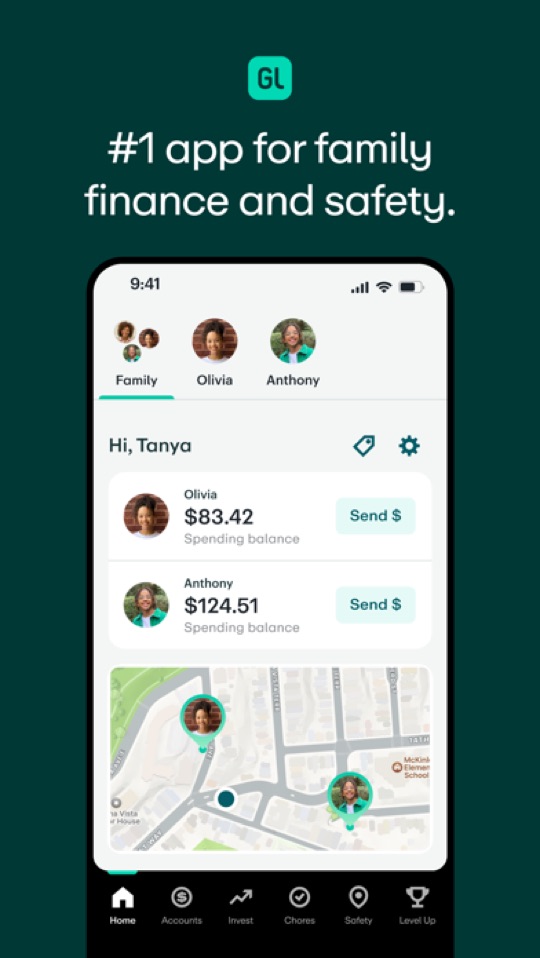
Kikaroo can price a chore in points and let you hand over cash yourself. Greenlight removes that step: it is a debit card and banking app for families with a chore list wired into the allowance, so finishing the jobs moves real money to a card the child controls, under spending limits you set.
Good
- The chore-to-payday link is automatic — no parent acting as cashier.
- Savings goals, parent-paid interest and investing on the higher tiers make it a genuine money education.
- One plan covers up to five children.
- Spending controls and instant alerts, which is what makes a card tolerable for a 13 year old.
Not so good
- No free tier at all, from $5.99 a month to $24.98 — the opposite of Kikaroo’s proposition.
- The chore tracker is a side feature of a bank, so routines, streaks and unpaid responsibilities are not its job.
- Pointless below about 8, where Kikaroo starts at 4.
How to choose
- You liked Kikaroo but want an app that will still exist in two years: Chorsee, on review volume alone.
- You want the day structured, not just the jobs listed: Starday.
- Free matters most and you have several kids: S’moresUp’s core plan, or stay on Kikaroo’s free tier.
- Points do not motivate your child: Joon, and budget for the annual plan.
- Your teenager wants actual money: Greenlight.
Worth doing before you switch anything: run the list on paper for a fortnight. Our free printable routine checklists by age are the same packs that ship in Starday, and they show you quickly which tasks actually matter in your house — usually about half of what you first wrote down. If you are also weighing the bigger names, our Joon alternatives comparison covers the allowance apps in more detail.
Screenshots are each app’s own App Store listing images and belong to their publishers. Prices, ratings and store availability were checked on 2026-09-22. Ratings cited are Apple’s own published averages, which can differ from the figures an app advertises on its website.
Turn this checklist into quests
Paper charts die in a week. In Starday, every task on this list becomes a quest your child checks off on their own — earning stars they spend in a rewards shop you control. One family code syncs every device.


Parents ask
Is Kikaroo free?
Yes, and the free tier is unusually generous: unlimited children, unlimited chores, custom rewards, reminders and separate parent and child logins, with no card required. The $2.99 a month premium adds chore checklists and the open-chore pool. S’moresUp’s core plan is the closest free equivalent, and Starday is free permanently on the child’s side.
Is Kikaroo safe to rely on?
It works, but it is young. Apple lists roughly a dozen ratings, so there is very little independent evidence either way, and it comes from a small studio. That is worth weighing against the money you save: OurHome was once the free favourite in this category and its users lost the app entirely when development stopped. If longevity matters, Chorsee and S’moresUp both have years of history and thousands of ratings.
What is the difference between Kikaroo and Starday?
Kikaroo is a chore tracker: a list of jobs worth points. Starday is a routine calendar: a structured day with morning, daytime and evening blocks, streaks, a calendar and mood tracking, where checking a task pays stars instantly. Pick Kikaroo if the problem is which chores are outstanding, and Starday if the problem is that the day itself has no shape.
Which chore app has the best free plan?
Kikaroo and S’moresUp are the two strongest free tiers: both cover unlimited family members and the core chore loop without payment. Kikaroo puts checklists and open chores behind $2.99 a month; S’moresUp reserves approvals, photo proof and rotation rules for a much pricier $9.99 a month. Starday is free for the child permanently but needs Pro for the parent side after a 7-day trial.
Does Kikaroo work for teenagers?
It covers ages 4 to 18 on paper, and the points-and-rewards model can work if your teen wants what is in the rewards list. What it cannot do is pay real money — there is no card, allowance transfer or cash balance. For a teenager motivated by money, Greenlight or BusyKid are the better fit; we compare them in our guide to the best chore apps for teens.
Free printable checklists
- Routine checklists for kids by age — the task packs that ship in Starday, as PDFs.