
Habitica Alternatives for Kids
Habitica is a brilliant idea — your tasks run a role-playing character who levels up or takes damage — and it is free. It is also rated 12+, has no parent side whatsoever, and assumes someone who will happily learn the difference between habits, dailies and to-dos. For a seven year old that is three problems at once. Here are five apps that keep the motivation and lose the complexity.
Updated 2026-09-22. Prices checked against each vendor's own pages.
Why Habitica struggles with younger children
Habitica turns tasks into a retro RPG. Dailies and habits earn experience and gold, skipped ones cost health, and a party of friends can fight a boss together where missed tasks damage everyone. Adults with ADHD swear by it, and teenagers who reject anything that looks like a chore chart often take to it precisely because it is not a kids app.
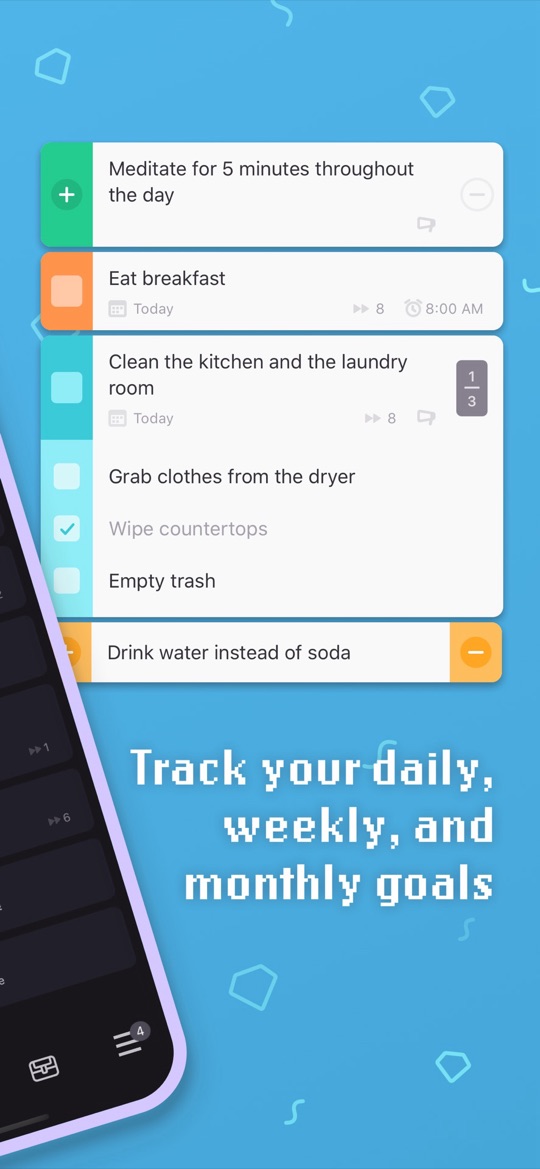
What Habitica gets right
- Free, genuinely. The optional subscription at $4.99 a month adds cosmetic gems and mystery items, nothing functional.
- Rewards land instantly, with no adult in the loop.
- Subtasks turn a vague job into something startable.
- Party mode makes accountability social rather than parental.
- It is not a children’s app, which is exactly why it survives with teenagers.
Why it does not fit a younger child
- No parent controls at all. You cannot assign a task, verify one, or see what happened. The account belongs to the child entirely.
- Rated 12+ on the App Store, and the reading load is real — menus, stats, classes, equipment.
- The setup is genuinely complex. Habits versus dailies versus to-dos is a system to learn before anything gets done, which is backwards for a child who struggles to start things.
- Damage and character death are punishing. Plenty of children abandon the account rather than rebuild after a bad week.
- Party play means contact with people outside the family, which many parents will not want for a younger child.
The apps below split by what you actually want to keep. If it was the game, Joon is the closest match. If it was the instant reward without the complexity, Starday or Kikaroo. If your child is younger than Habitica ever intended, Lil Planner or Goally.
The alternatives at a glance
| App | Best for | Parent controls | Price | Ages |
|---|---|---|---|---|
| Starday | Keeping the instant reward, losing the complexity | Yes — passcode-protected parent side | Free for the kid’s side. Pro $4.99/mo or $29.99/yr | 4 to 16 |
| Joon | Children who came for the game | Yes — you assign and approve every quest | Free (7 quests/day). Premium $12.99/mo or $89.99/yr | 6 to 12 |
| Kikaroo | A simple free points system | Yes — separate parent and child logins | Free tier. Premium $2.99/mo or $29.99/yr | 4 to 18 |
| Lil Planner | Young children who need to see the steps | Yes — parent sets the schedule | Free tier; paid plan for more schedules and devices | Roughly 3 to 10 |
| Goally | A device with nothing else on it | Yes — managed from a parent app | Tablet from about $199 | Roughly 3 to 12 |
1. Starday, the instant reward without the rulebook
Starday keeps the part of Habitica that works — finish something, get rewarded immediately, watch progress accumulate — and removes the part that does not. There is one kind of task, not three. You set the routine once for morning, daytime and evening; your child checks a quest and the stars land on the tap, with a progress ring filling and a streak building. Stars buy rewards you stock. The parent side sits behind a passcode in the same app.
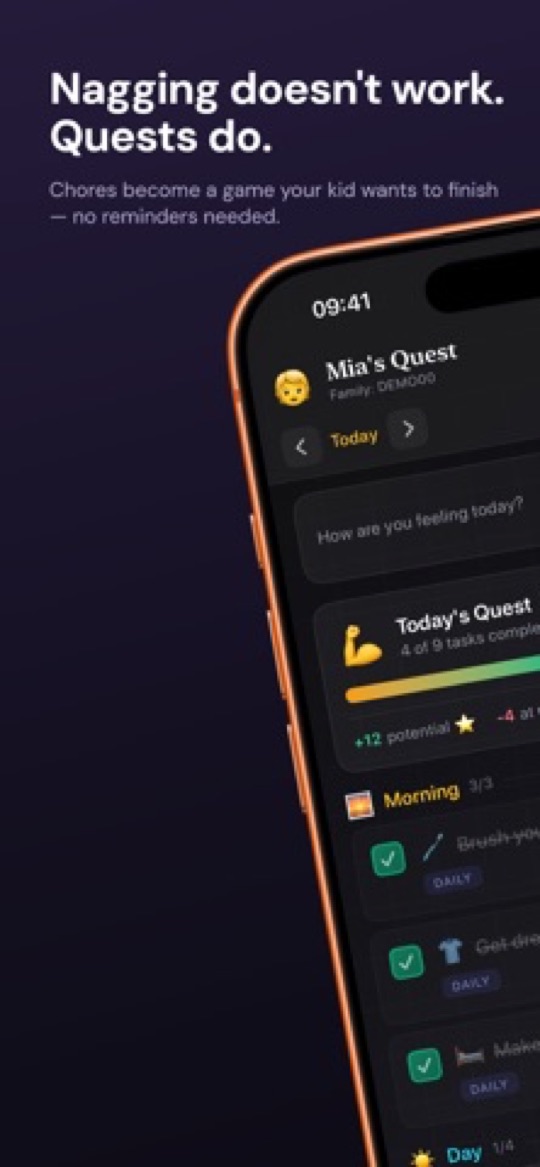
What it keeps and what it fixes
- Instant payout, same as Habitica, with no approval step — but you decide what the rewards are.
- One concept instead of three. No habits versus dailies versus to-dos, so a child can use it on day one.
- A real parent side. You set the routine, stock the rewards shop and see what is happening, none of which Habitica allows.
- Ages 4 to 16, with routine packs by age rather than a 12+ rating and an empty screen.
- Streaks and an activity heatmap cover the habit-building Habitica does, without health bars or character death.
- No social features and no contact with strangers.
What Habitica still does better
- No game world. Habitica’s character, gear and boss fights are a stronger pull for a child who is motivated by games.
- Habitica is free; Starday needs Pro for the parent side after a 7-day trial, though the child’s side stays free.
- No party or peer accountability — nothing equivalent to friends fighting a boss together.
- For a self-directed teenager who wants to own their own system, Habitica is still the better answer.
2. Joon, if the game was the whole appeal
Joon is the closest thing to Habitica built for children. Chores become quests and the coins feed a virtual pet your child hatches, raises and levels up — the same "my character depends on me finishing things" loop, aimed at ages 6 to 12 and designed with clinical input around ADHD. It holds about 4.7 stars from more than 6,500 App Store ratings.
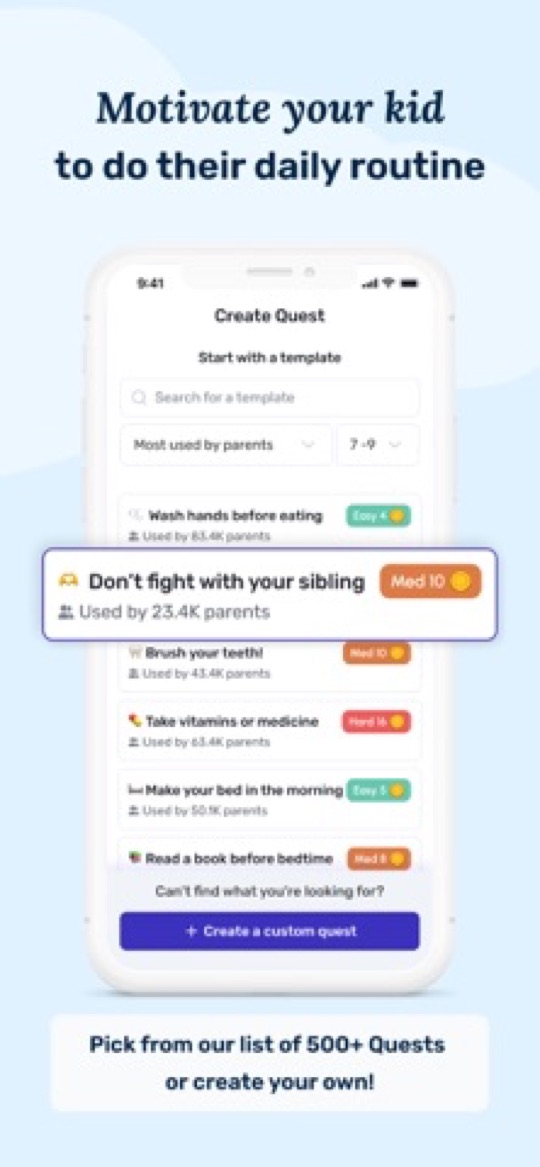
Good
- A proper game economy, age-appropriate. The pull Habitica has for adults, in a world built for a nine year old.
- Parents assign quests, so unlike Habitica the tasks are actually the ones you want done.
- Short, concrete quests designed for children who struggle to start.
- A free tier of up to 7 verified quests a day, and the largest user base in this comparison.
Not so good
- $12.99 a month or $89.99 a year, against Habitica being free.
- Every quest needs your approval before coins land, so the reward is delayed by however long you take.
- Two separate apps: one for parents, one for kids.
- Ages 6 to 12 only — for a teenager, Habitica is still the better fit.
- Novelty commonly fades after four to eight weeks once the pet is levelled up.
3. Kikaroo, free and simple
If what you liked about Habitica was the price, Kikaroo is the nearest free equivalent with a parent side attached. Chores carry point values, points buy rewards you choose — screen time, treats, pocket money, an outing — and the free tier covers unlimited children and unlimited chores with separate parent and child logins.
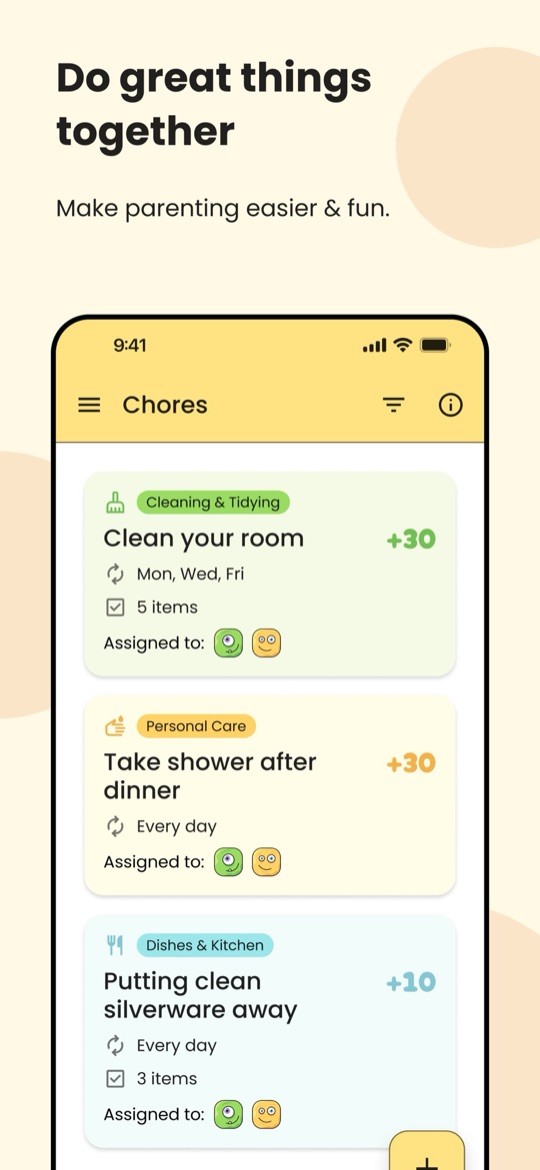
Good
- Free for the core loop, like Habitica, but with the parent controls Habitica lacks.
- Far simpler than Habitica: a list of jobs worth points, with nothing to learn.
- Ages 4 to 18, so it stretches further down than Habitica’s 12+ rating.
- Cheap to upgrade at $2.99 a month if you want checklists and open chores.
Not so good
- Very new, with about a dozen App Store ratings — no real track record yet.
- No game, no character, no narrative pull. It is a points list.
- No routine view or streaks, so daily habits are less well modelled than in Habitica.
- Points only, with no cash or allowance side.
4. Lil Planner, for children well below Habitica’s age range
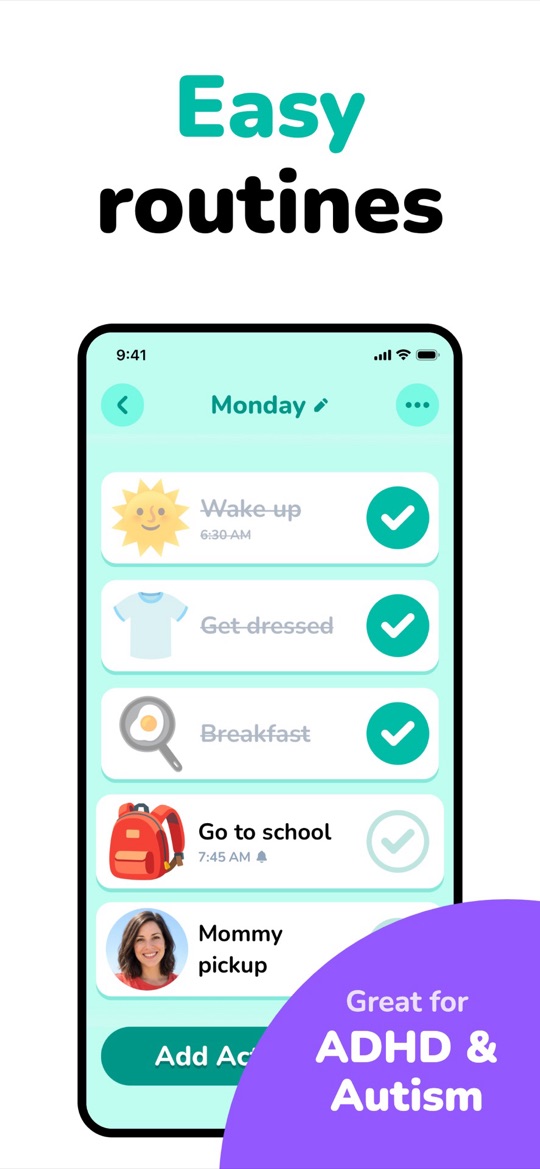
For a child of five or six, the answer is not a simpler RPG — it is a picture schedule. Lil Planner lays the day out as illustrated steps with times, ticked off one at a time with a celebration, and you can use your own photographs for steps. It is the best-rated app in this comparison at about 4.9 stars from more than 4,000 ratings.
Good
- Works for children who do not read fluently, which Habitica cannot.
- Steps are visibly small, so a routine is startable rather than intimidating.
- A free tier that covers a real morning routine before you decide about paying.
- Big, clean, high-contrast design a young child can drive alone.
Not so good
- No game and no reward economy to speak of — a celebration, not gold and gear.
- The free tier caps schedules and generally ties you to one device.
- Aimed young: a 12 year old will find it babyish, and at that point Habitica genuinely is an option.
- Newer than most of this list, with less of a track record.
5. Goally, when the device is the real problem
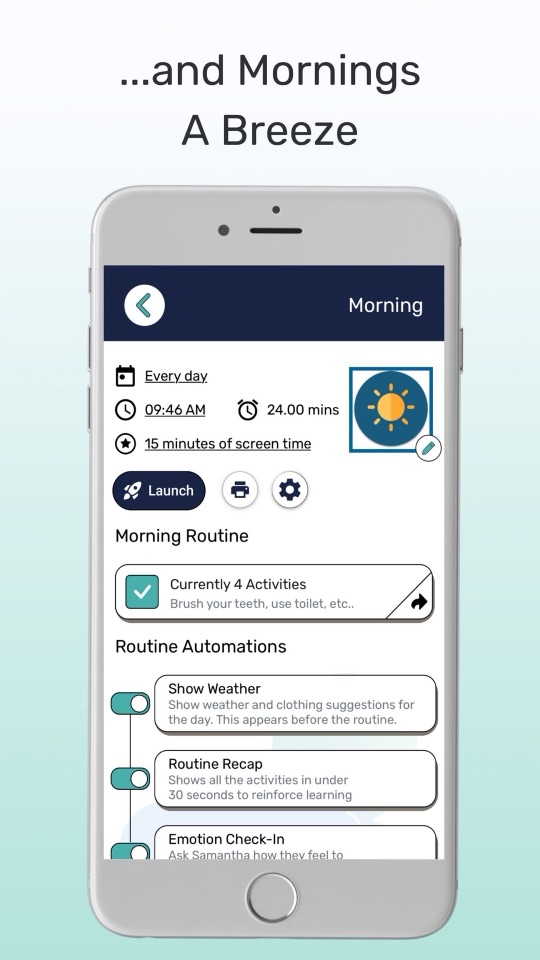
One quiet reason Habitica fails with younger children is that it lives on a phone full of better things to do. Goally sells a locked-down tablet for the child, managed from a parent app: routines run step by step with picture or video prompts and a visual timer, and a set amount of screen time can be released at the end.
Good
- Nothing else on the device to drift into — a structural fix rather than a rule you enforce.
- One step at a time with a timer on each, which suits a child who stalls mid-routine.
- Screen time becomes a bounded, automatic reward instead of a daily negotiation.
- Full parent control from your own phone, on iPhone or Android.
Not so good
- Tablets start around $199 and go past $300 — a very different commitment from a free app.
- Another device to charge and carry, and routines stop travelling if it stays home.
- The parent app sits at about 4.3 stars and was last updated in June 2026.
- No game economy — this is structure, not motivation.
How to choose
- Your child liked the game and is 6 to 12: Joon, and budget for the annual plan.
- You want the instant reward without the rulebook: Starday, with the rewards under your control.
- Free was the point: Kikaroo, accepting that it is young.
- Your child is 5 to 8 and needs to see the day: Lil Planner.
- The phone itself is the distraction: Goally, if the hardware cost works.
- Your child is 13+ and wants to own their own system: stay on Habitica — nothing here beats it for that.
If your child is on the older end, it is worth reading our guide to the best chore apps for teens, where Habitica is a serious contender rather than a stretch. And whichever way you go, our free printable routine checklists by age are a good way to work out what the routine should actually contain before you build it in any app.
Screenshots are each app’s own App Store listing images and belong to their publishers. Prices, ratings and store availability were checked on 2026-09-22.
Turn this checklist into quests
Paper charts die in a week. In Starday, every task on this list becomes a quest your child checks off on their own — earning stars they spend in a rewards shop you control. One family code syncs every device.


Parents ask
Is Habitica suitable for kids?
It is rated 12+ on the App Store, and that rating is about right. There are no parent controls — you cannot assign or verify a task — the setup involves learning habits, dailies and to-dos before anything happens, and party play puts a child in contact with people outside the family. For a self-directed teenager it works very well. For a child under about ten it is usually the wrong tool.
What is the best Habitica alternative for younger children?
It depends what appealed. If it was the game, Joon is the closest child-appropriate equivalent, with quests feeding a virtual pet for ages 6 to 12. If it was the instant reward without the complexity, Starday keeps that and adds a parent side, covering ages 4 to 16. For children of five or six, a picture schedule like Lil Planner fits better than any RPG.
Is there a free app like Habitica for kids?
Kikaroo is the closest: a free tier with unlimited children and chores, points and custom rewards, plus the parent controls Habitica lacks. Joon has a free tier limited to 7 verified quests a day. Lil Planner’s free tier covers a real morning routine. Starday is free permanently on the child’s side, with the parent features behind a 7-day trial.
Can parents monitor a child’s Habitica account?
Not through the app. Habitica has no parent dashboard, no assignment and no verification — the account belongs to whoever set it up, and the only oversight available is sharing the login or looking over their shoulder. Every alternative on this page has a parent side, whether that is a passcode-protected section in the same app or a separate parent login.
At what age can a child use Habitica?
The App Store rating is 12+, and in practice that matches the reading level and the amount of system to learn. Some motivated ten or eleven year olds get on with it, especially with a parent setting up the task list first. Below that, the complexity tends to defeat the purpose — a child who needs help starting tasks will not be helped by an app that first requires configuring one.
Free printable checklists
- Routine checklists for kids by age — the task packs that ship in Starday, as PDFs.